
Expense Report
Excel and Google Sheets Template
🎯 Best Value: This template + 30 more
Get this plus 30+ Accounting & Finance templates for just $79.
Get the Accounting & Finance Bundle — $79— OR continue with just this template below —
What's Inside the Expense Report Template?
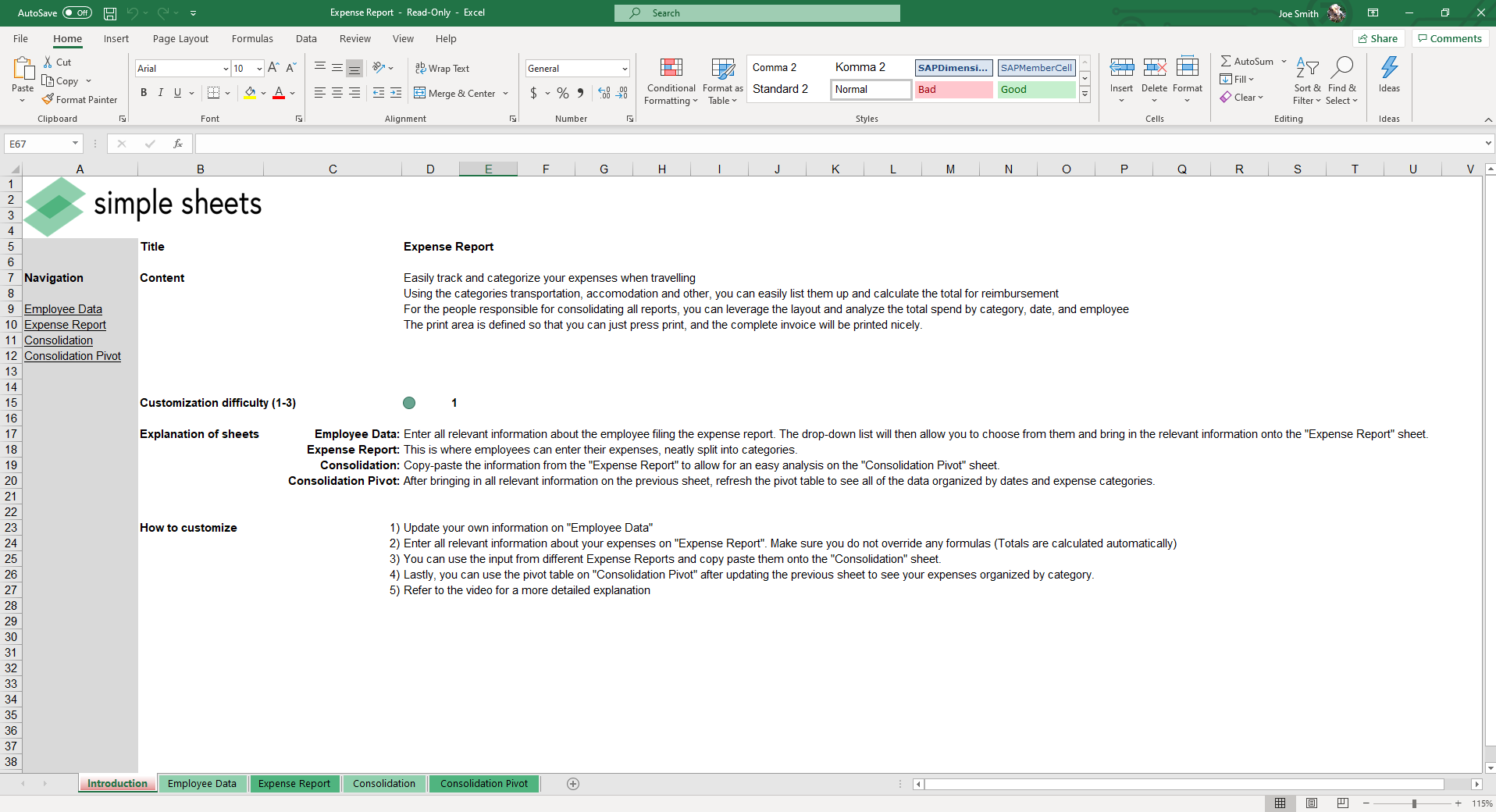
Details | 5 Sheets
Supported Versions | Excel 2010, 2013, 2016, 2019, Office 365 (Mac), Google Sheets
Category | Accounting
Tags | Travel, Form, Printable

Why Professionals Choose Simple Sheets
It's simple. Access to the largest library of premium Excel Templates, plus world-class training.

100+ Professional Excel Templates
Optimized for use with Excel. Solve Excel problems in minutes, not hours.

World-Class Excel University
With our university, you'll learn how we make templates & how to make your own.

How-To Videos
Each template comes with a guide to use it along with how-to videos that show how it works.
Inside Our Expense Report
Excel and Google Sheet Template
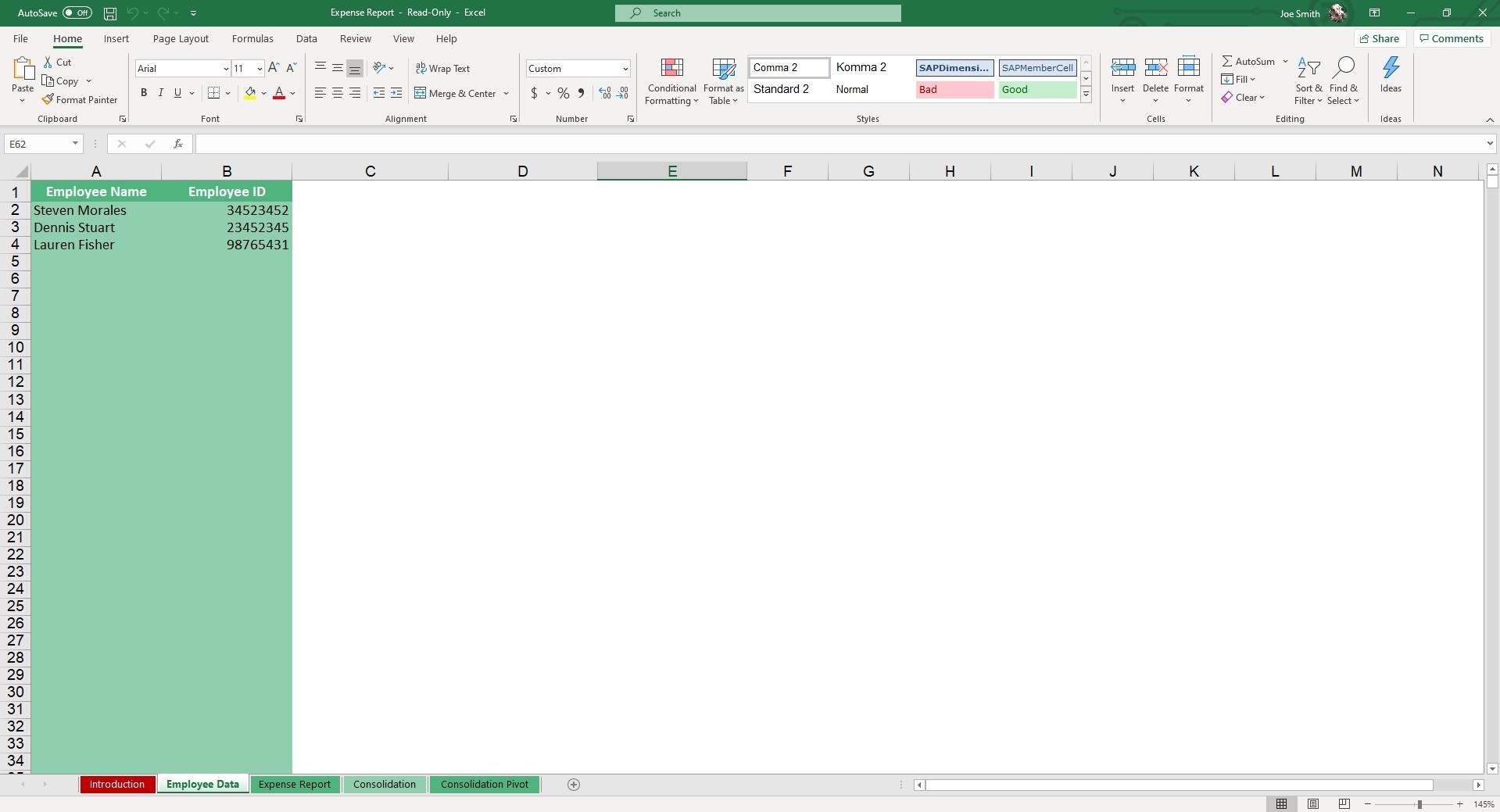
Tracking down receipts and filling out reports can be tedious, but we’ve sought to reduce the amount of time and energy it takes to summarize your business expenses. Introducing our premium business expense report template excel version, built to make tracking, categorizing, submitting, and summarizing your expense reports a breeze.
There are quite a few software alternatives and apps for expense management, but many of them have high monthly costs and are overbuilt. A structured expense report spreadsheet like this is perfect for small businesses and managers wanting to keep their overhead low, but organization and accountability high.
Expert Walkthrough: How it Works
Unlike a standard, buggy monthly expense report template excel free download, our template features built-in automation and pivot reporting. Here is how you use it:
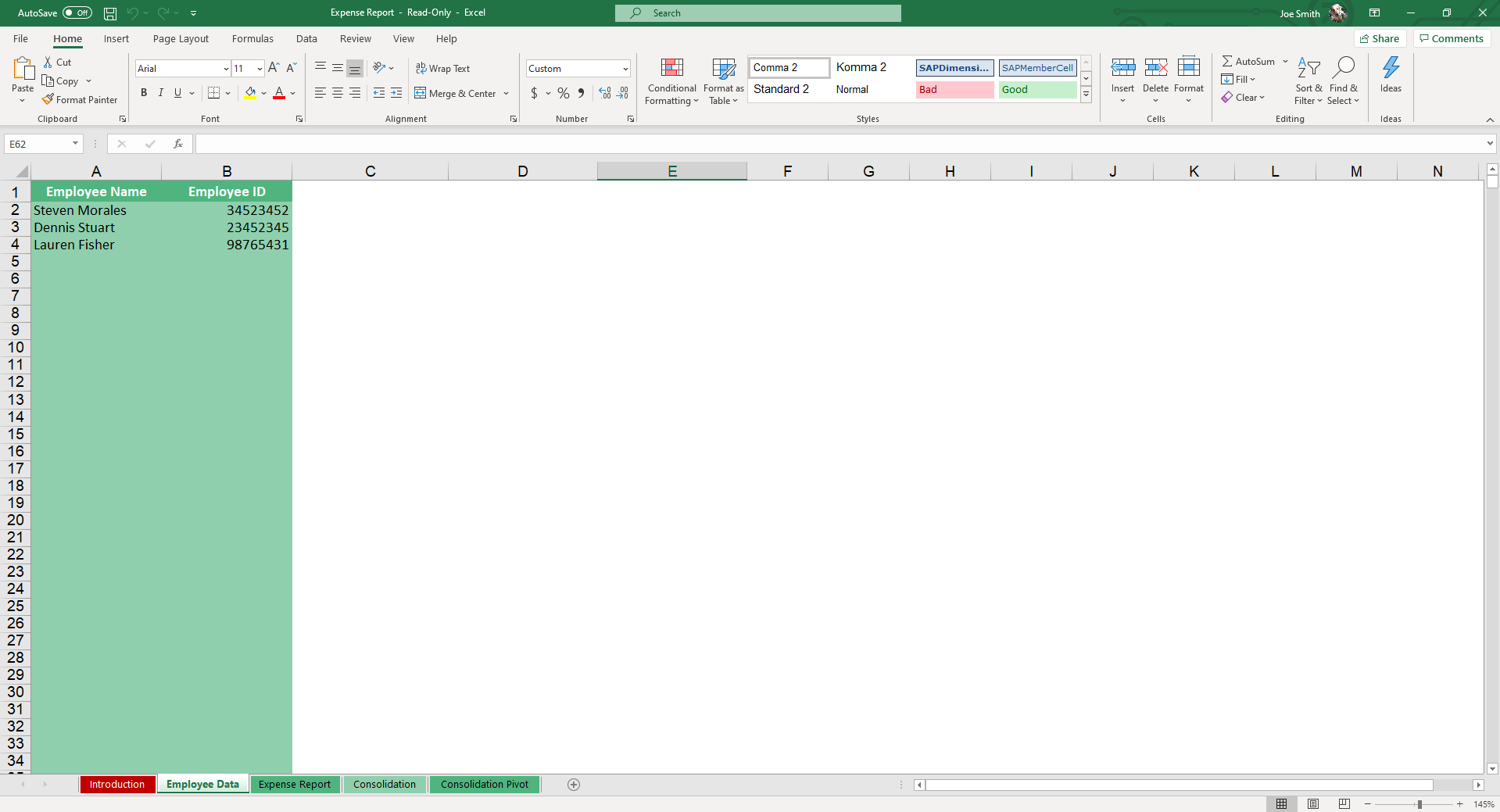
- Step 1: Employee Data setup. Start in the Employee Data sheet and input the Employee Name and Employee ID for those in your organization.
- Step 2: Log Expenses. Employees hop directly to the Expense Report sheet. Fill out relevant fields (Transportation, Accommodation, Other) alongside details like Dates and Travel Purpose. The sum of the expenses will automatically calculate. Note: There is a built-in reminder for employees to attach their receipts!
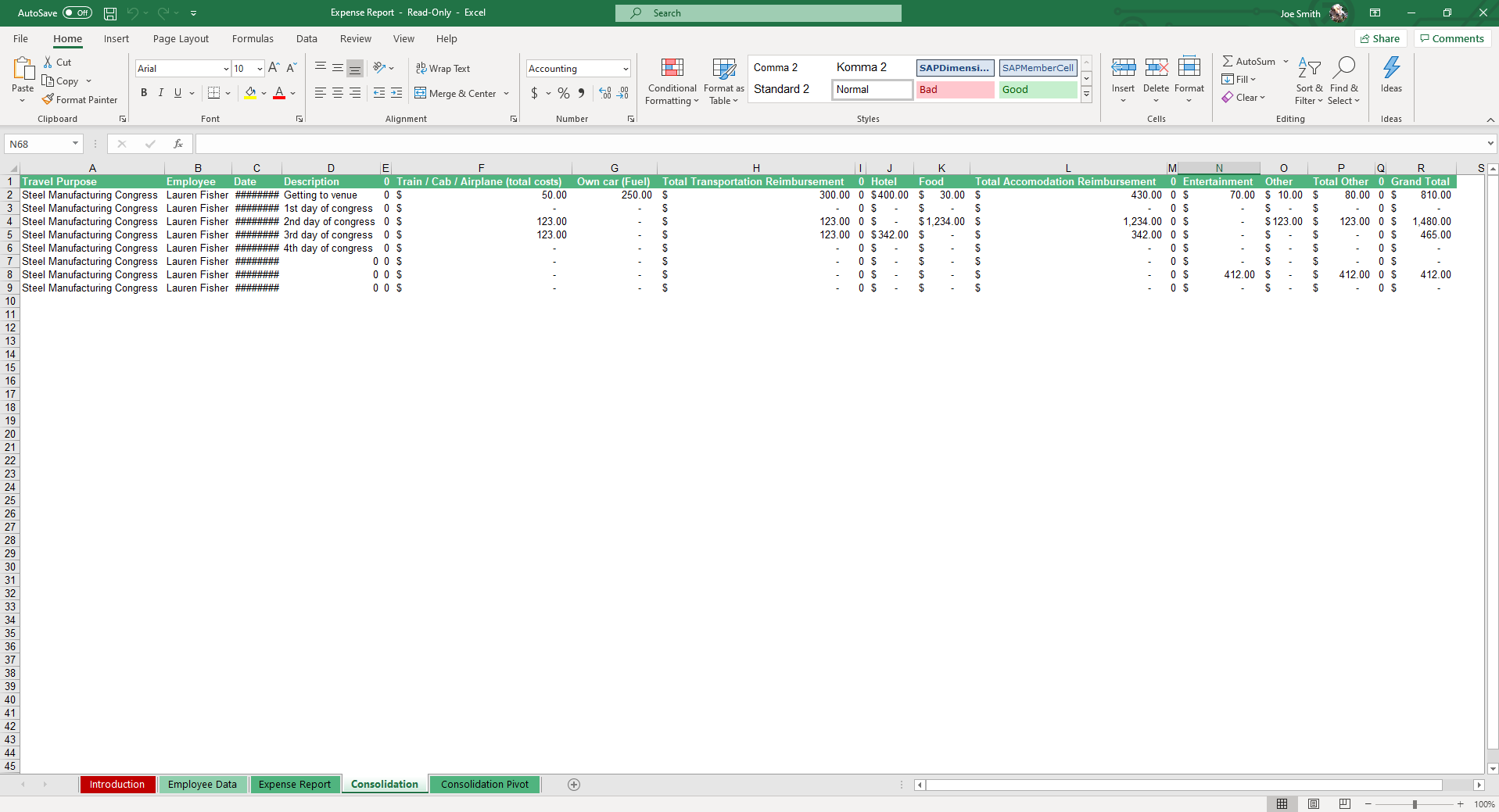
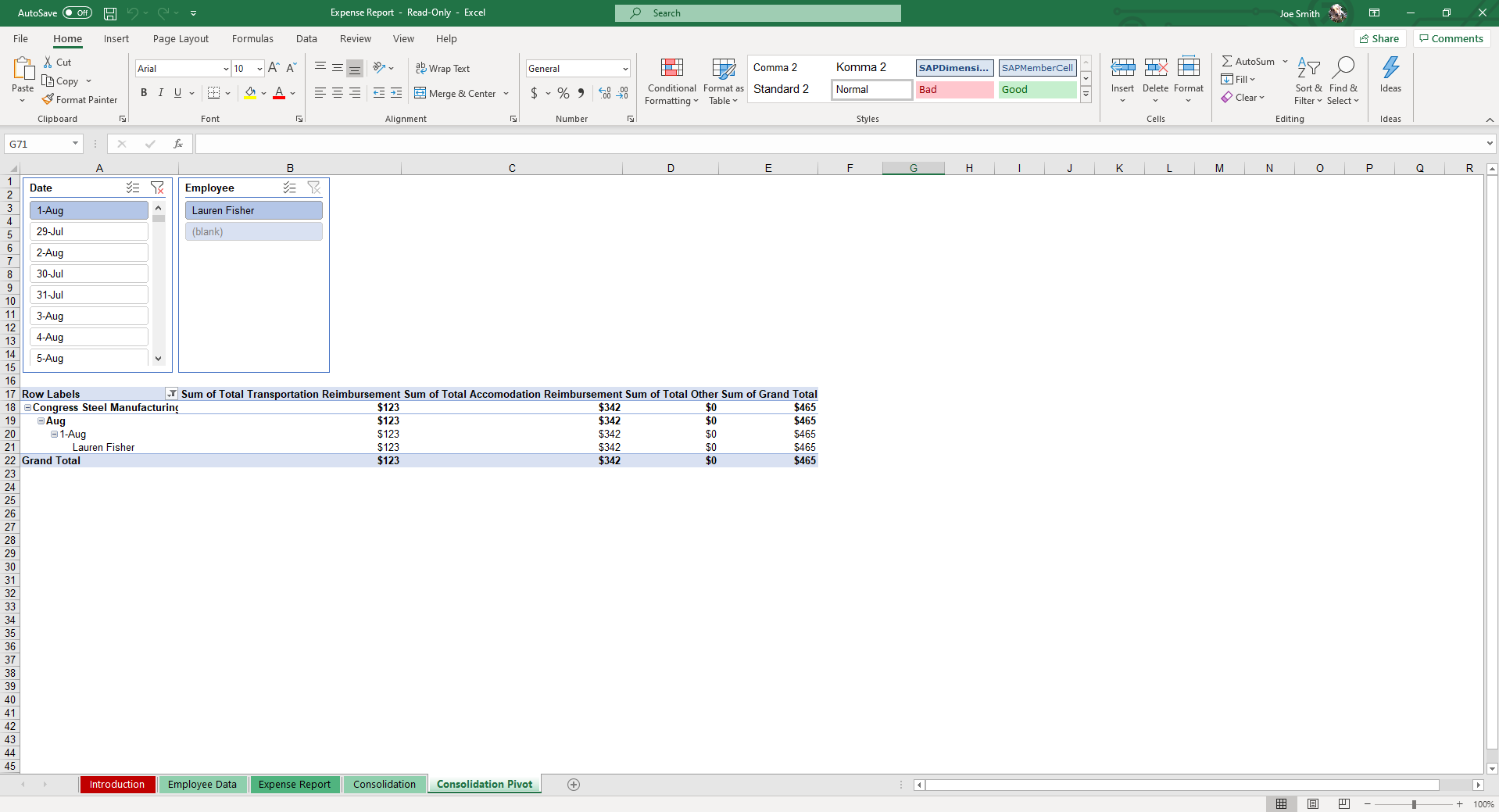
- Step 3: Consolidate & Analyze. Once filled out, input data from the specific report into the Consolidation table. Move to the Consolidation Pivot to easily search for and filter expense reports using dynamic slicers. This gives immediate insights into your employees’ travel habits.
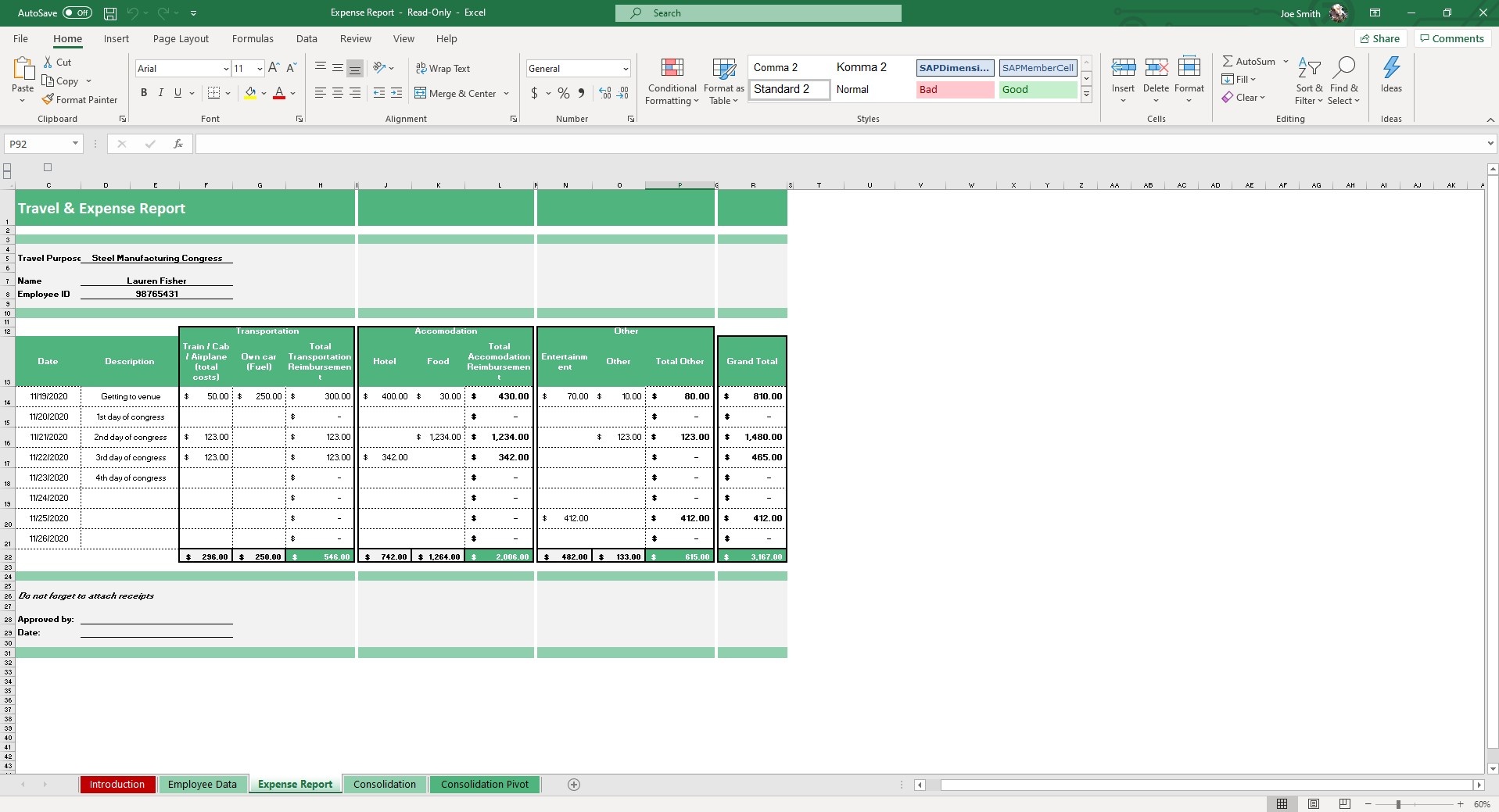
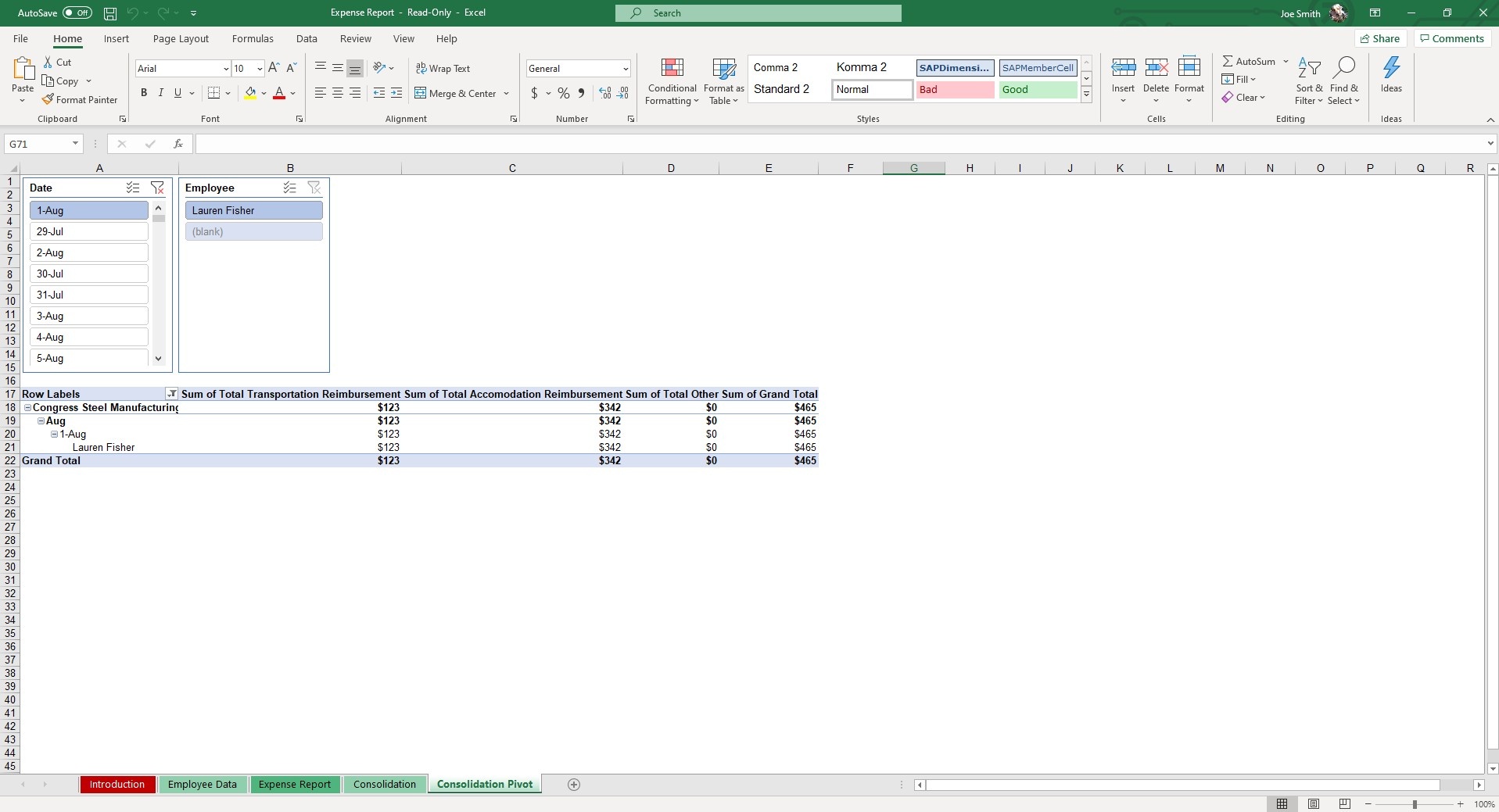
Move to the Consolidation Pivot and you can easily search for and filter expense reports using dynamic slicers. These give you immediate insights into the data of your employees’ travel habits.
There are quite a few software alternatives and apps for expense management, but many of them have monthly costs and are overbuilt. A structured spreadsheet like this is perfect for small businesses and those wanting to keep their overhead low, but organization and accountability high.
If that wasn't enough reason to get this template, did you know this template is compatible with Google Sheets? Collaborate with your co-workers in real time and enjoy the cloud auto-save feature of Sheets when you use this template!
Why Use Our Expense Report Excel Template?
This excel expense report template is completely customizable to your business needs. You can easily modify the expense categories (Transportation, Accommodation, Meals, etc.) to fit your internal accounting standards.
Need to submit physical copies? This expense report template for excel is perfectly formatted for printing. Simply click File and Print to print the specific sheet if you are submitting it to a manager for approval.
If that wasn't enough reason to get this expense report template in excel, it is also fully compatible with Google Sheets! As an expense report template google sheets user, you can collaborate with your co-workers in real-time and enjoy cloud auto-save functionality.
You may also want to check out our other solutions for streamlining your business processes like our Payroll, Employee Scheduling and Timesheet templates.
Who is this Expense Report Spreadsheet For?
This template is highly useful for both the employees submitting expense reports and the accounting teams filing them.
| Role | Primary Use Case |
|---|---|
| Small Business Owners | Tracking overall company spending without paying for expensive SaaS subscriptions. |
| HR & Finance Managers | Consolidating employee travel, mileage, and accommodation data into one dashboard. |
| Employees & Freelancers | Easily logging categorized expenses and printing clean reports for reimbursement approval. |
Frequently Asked Questions
What is an expense report?
An expense report is a record of business or work-related expenses that an employee submits for reimbursement, or that a business uses to track operational spending. Typical categories: travel, meals, lodging, transportation, supplies, client entertainment.
What does this expense report template include?
Employee details (name, ID), expense entries (date, category, amount, payment method, reimbursable flag), running totals by category, and a Consolidation Pivot tab with dynamic slicers for filtering and analyzing across multiple employees and time periods.
Is there a monthly subscription fee?
No. Unlike most expense tracking apps, this template is a one-time purchase. Use it month after month for your entire team with no recurring costs and no per-user pricing.
Can I customize the expense categories?
Yes. The pre-built categories (Transportation, Accommodation, Meals, Other) are fully editable — rename them, add new ones, or remove what you don't need. The Consolidation Pivot updates automatically to reflect your custom categories.
Does it handle mileage reimbursement?
Yes. The template includes a mileage entry with the current IRS standard rate built in (update the rate cell when the IRS publishes new rates). Reimbursement auto-calculates based on miles entered.
Can it consolidate multiple employees' reports?
Yes — that's the unique value of this template. Each employee fills out their report, then you paste the data into the Consolidation tab. The Consolidation Pivot lets you slice by employee, date, category, or department.
How does it handle travel expenses?
The standard report includes Transportation, Accommodation, and Meals categories — the core of business travel. Add custom categories for industry-specific expenses (parking, tolls, client gifts) if needed. Mileage is tracked separately with auto-reimbursement (see above).
Can I print receipts and save reports as PDFs?
Yes to both. Individual expense report sheets are pre-formatted for standard letter printing, making it easy to staple physical receipts directly to the report for HR approval. You can also save as PDF directly in Excel, or download as PDF in Google Sheets — the print layout fits cleanly on a standard letter/A4 page with signatures and totals visible.
Does it work in Excel, Google Sheets, on Mac and PC?
Yes — both Excel and Google Sheets versions are included, and both work on Mac and PC. The pivot tables, formulas, and slicers function identically across all four environments.
Pair with: balance sheet template — roll spending into the full balance sheet picture.
Expense Report Categories Explained
To get meaningful insights from your expense report template excel data, your employees must categorize their spending accurately. Proper categorization feeds directly into your Consolidation Pivot sheet, allowing you to use dynamic slicers to analyze exact spending habits. If everything is lumped into an "Other" category, your business expense tracking becomes useless.
When filling out an expense reimbursement form, you will generally encounter these standard expense report categories:
Meals and Entertainment
This category often requires the most scrutiny. Business meals usually cover an employee eating while traveling for work. Client entertainment involves treating a prospective or current client to a meal to discuss business. For tax purposes, the IRS frequently changes the deductibility rules for meals versus entertainment (like sporting events), so keeping these clearly labeled in your expense reports is critical for your accountant.
Lodging
This includes the nightly room rate and applicable taxes at a hotel or short-term rental. It is important to educate employees that room service or in-room movie rentals should be broken out separately; room service falls under "Meals," while movies are typically non-reimbursable personal expenses.
Transportation
This broad category covers how an employee gets from point A to point B. It includes airfare, train tickets, rental cars, rideshare apps (like Uber or Lyft), taxi fares, toll roads, and airport parking fees.
Office Supplies and Miscellaneous
Often, employees need to make quick purchases on the road or for their home office—printer ink, a specialized software subscription, or materials for a presentation. These operational purchases should be logged clearly so they can be assigned to the correct departmental budget.
Non-Reimbursable Expenses
A good corporate policy outlines exactly what cannot be claimed. Common non-reimbursable items include parking tickets, traffic fines, personal care items, gym fees, or travel costs for a spouse accompanying the employee on a trip. Clear categories in your expense report form prevent these items from slipping through the cracks.
Expense Report Examples for Different Industries
While the basic mechanics of logging costs remain the same, an expense report example can look wildly different depending on the industry. A versatile expense report template adapts to these varying use cases effortlessly.
- Field Sales: A typical expense report sample for a sales representative will be heavily skewed toward client acquisition. Expect to see high volumes of mileage tracking, frequent client lunches, coffee shop meetings, and regular airfare. Sales managers rely heavily on pivot tables to ensure the cost of entertaining clients doesn't outweigh the revenue those clients bring in.
- Consulting and Professional Services: Consultants travel frequently, but their small business expense tracking requires an extra layer of detail. They must often designate whether an expense is "billable" (to be invoiced directly to the client they are visiting) or "non-billable" (an internal company cost). Precise tracking is mandatory to avoid under-billing clients.
- Healthcare and Academics: In these fields, expenses are often tied to continuing education. An excel expense tracker for a medical professional or researcher will likely feature conference registration fees, specific professional association dues, certification course materials, and travel associated with presenting research.
- Construction and Contracting: A project manager's expense report might look entirely different. Alongside mileage to various job sites, their business expense template will frequently include ad-hoc material purchases from local hardware stores, equipment rentals, and per-diems for crews working on remote sites. This data is often cross-referenced with a project task list to track the total cost of a specific build.
More Human Resource Templates For You


