
Excel and Google Sheets Event Planning Template
🎯 Best Value: This template + 30 more
Get this plus 30+ Project Management templates for just $99.
Get the Project Management Bundle — $99— OR continue with just this template below —
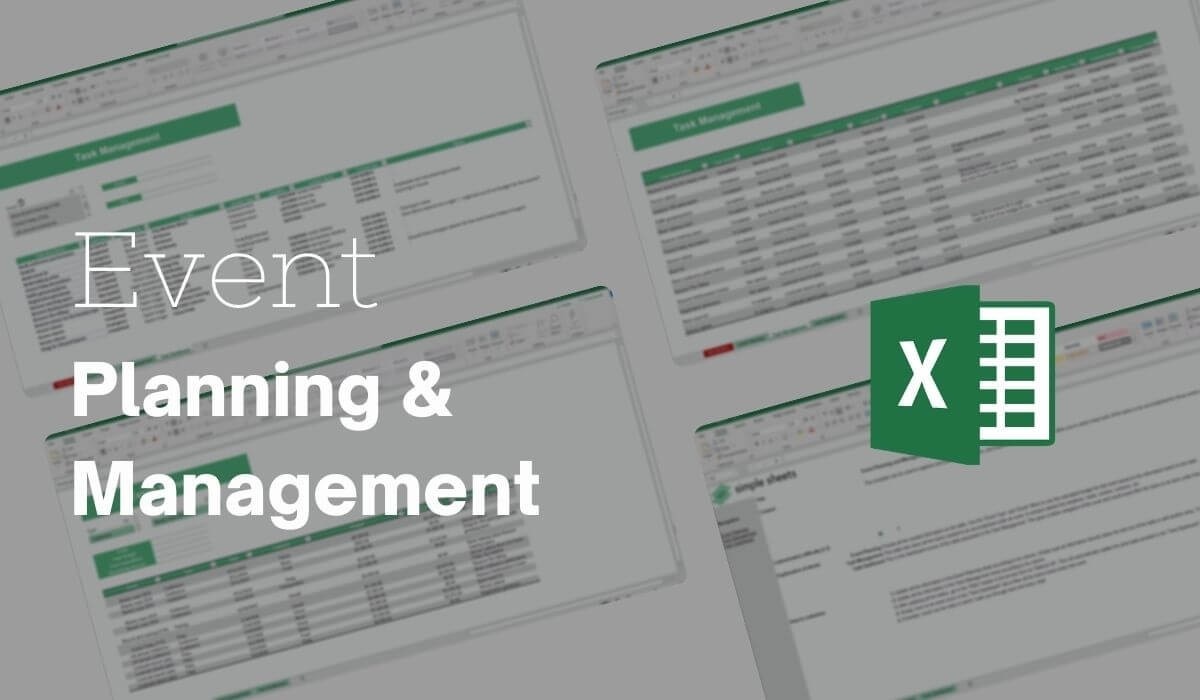
What's Inside the Event Planning Template?
Details | 4 Sheets
Supported Versions (All Features) | Excel 2013, 2016, 2019, Office 365 (Mac), Google Sheets
Supported Versions (Significant Features) | Excel 2010, 2013, 2016, 2019, Office 365 (Mac), Google Sheets
Category | Small Business, Project Management
Tags | Checklist, Planning, Timeline

Why Professionals Choose Simple Sheets
It's simple. Access to the largest library of premium Excel Templates, plus world-class training.

100+ Professional Excel Templates
Optimized for use with Excel. Solve Excel problems in minutes, not hours.

World-Class Excel University
With our university, you'll learn how we make templates & how to make your own.

How-To Videos
Each template comes with a guide to use it along with how-to videos that show how it works.
Inside Our Event Planning
Excel and Google Sheet Template
Event planning comes with endless details, including budgets, deadlines, vendors, and teams. This is a lot to handle!
But with our Excel and Google Sheets event planning template, you can bring everything together in one place.
The ready-made sections will give you a clear view of your event from start to finish. No more scattered notes or multiple files.
The party planner Google Sheets template also enables you to manage multiple events simultaneously.
Benefits of Using our Event Planning Template
You may be wondering why you need to invest in a Google Sheets party planning template. Our event planning Excel template gives you structure and ensures nothing is overlooked.
Here are the different ways it aids event planning:
- All-in-one organization: Manage budgets, timelines, and vendor details in a single event planning spreadsheet Google Sheets.
- Easy to use: Simple structure means no advanced skills are required. Just enter your data and the sheet does the rest.
- Budget tracking: Monitor your spending with clear comparisons between planned and actual costs.
- Flexible for any occasion: Use it as a party planning Google Sheet template for birthdays and weddings, or as an Excel party planning template for conferences and corporate functions.
- Share and collaborate: Invite your team or clients to access the sheet directly in Google Sheets.
Features of the Event Planning Template
Our event planning Google Sheets template is packed with all the features you need as an organizer. The key features include:
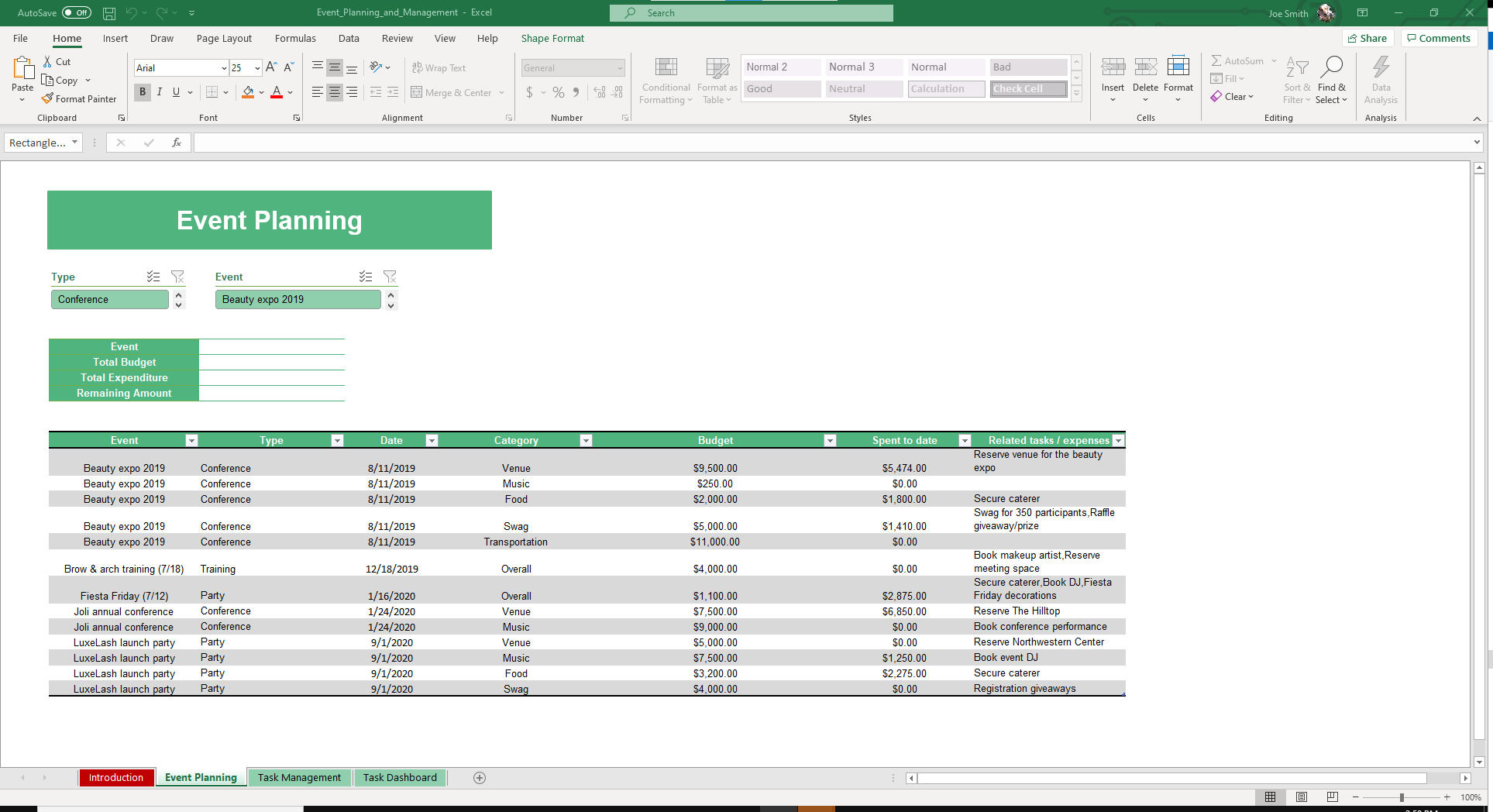
- Expense breakdowns: Manage costs by category such as venue, food, music, and transportation.
- Real-time progress updates: Track remaining budget, remaining days, and auto-generated event status.
- Multi-event management: Plan and monitor several events at once, from small parties to major conferences.
- Vendor and contact integration: Connect categories to vendor details and contact information for smooth coordination.
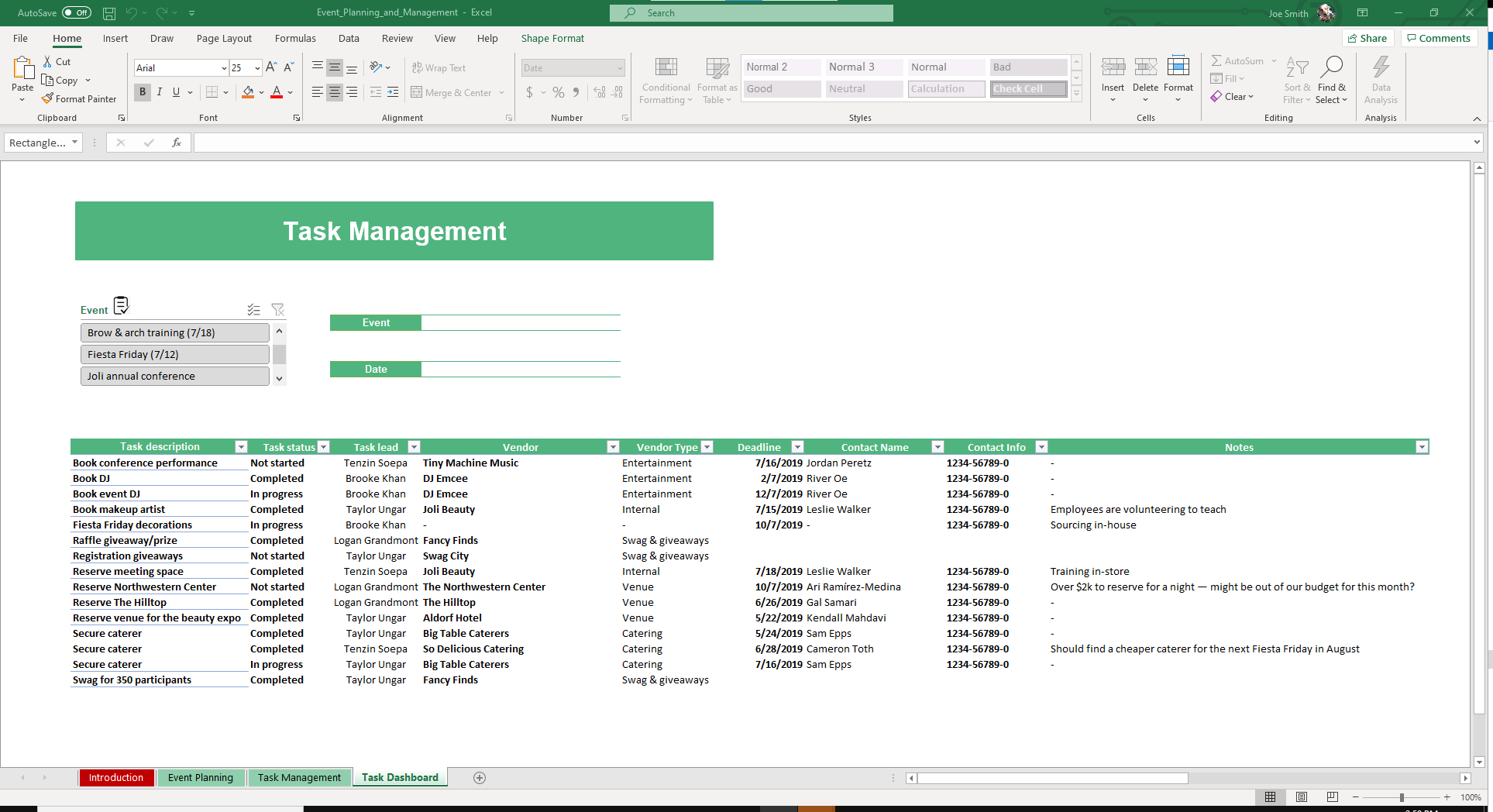
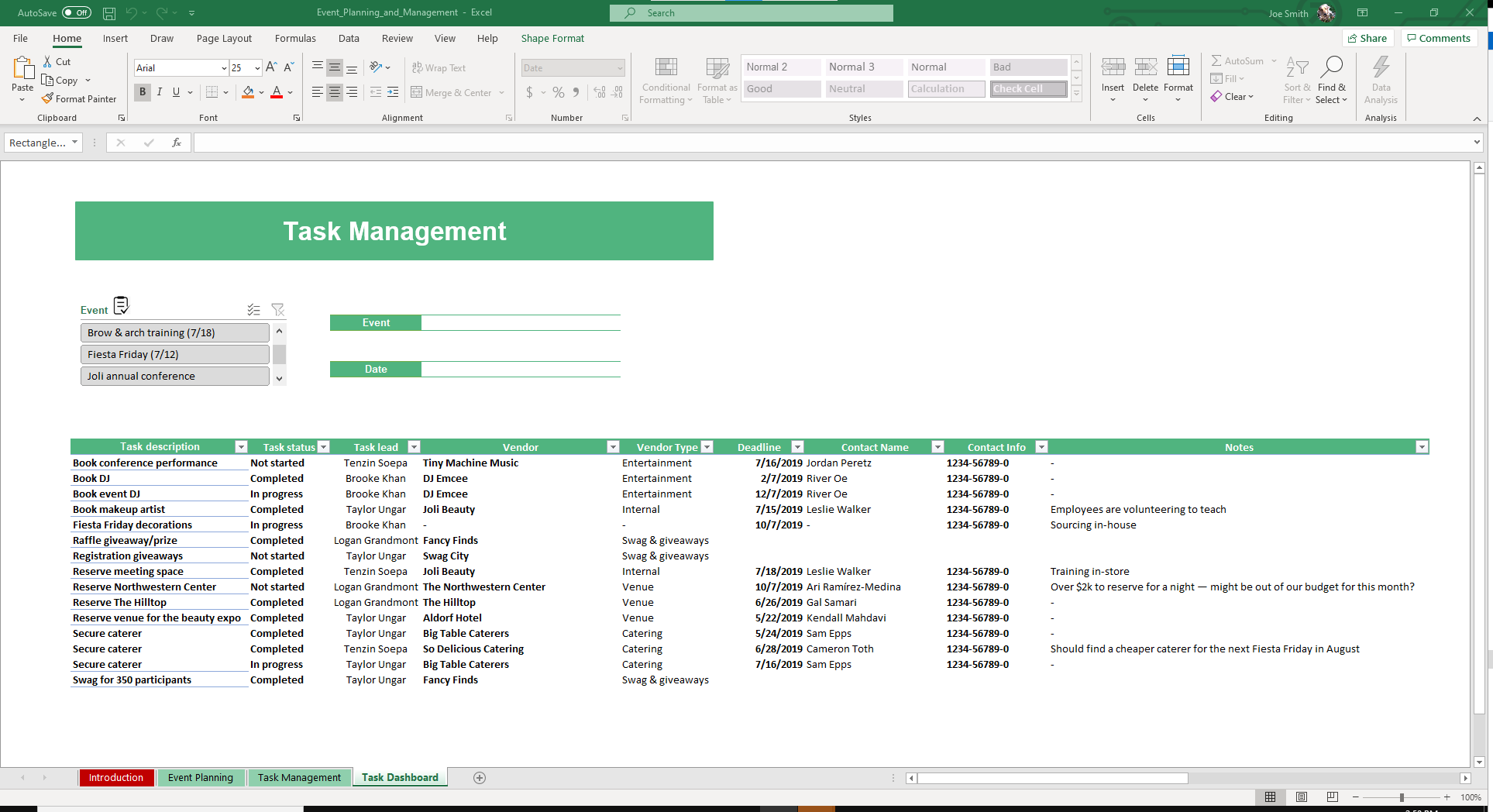
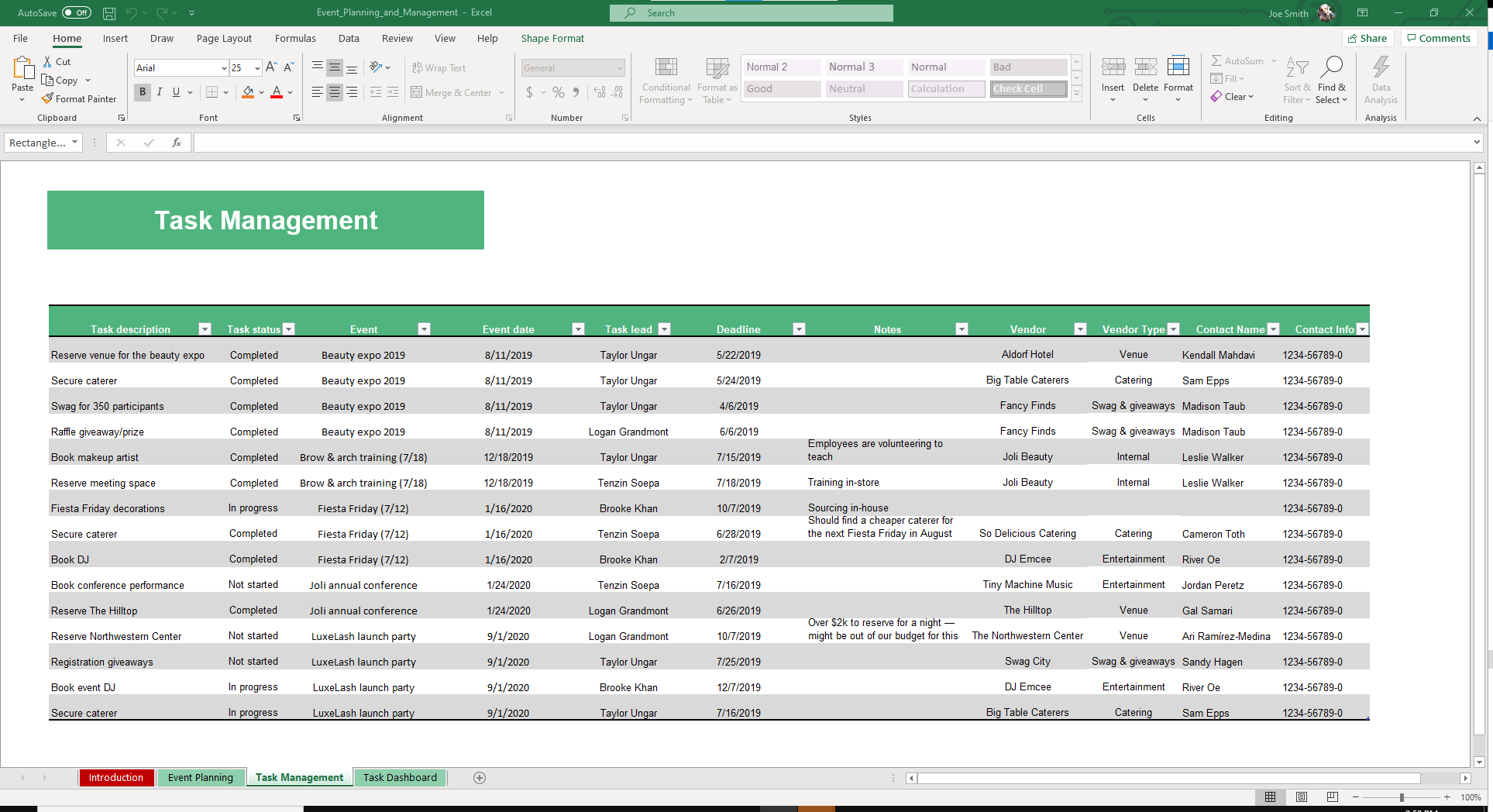
- Task monitoring: Assign responsibilities and check progress in a structured layout to keep teams accountable.
- Summary dashboard: Review spending and progress across all events at a glance.
How to Use the Event Planning Template
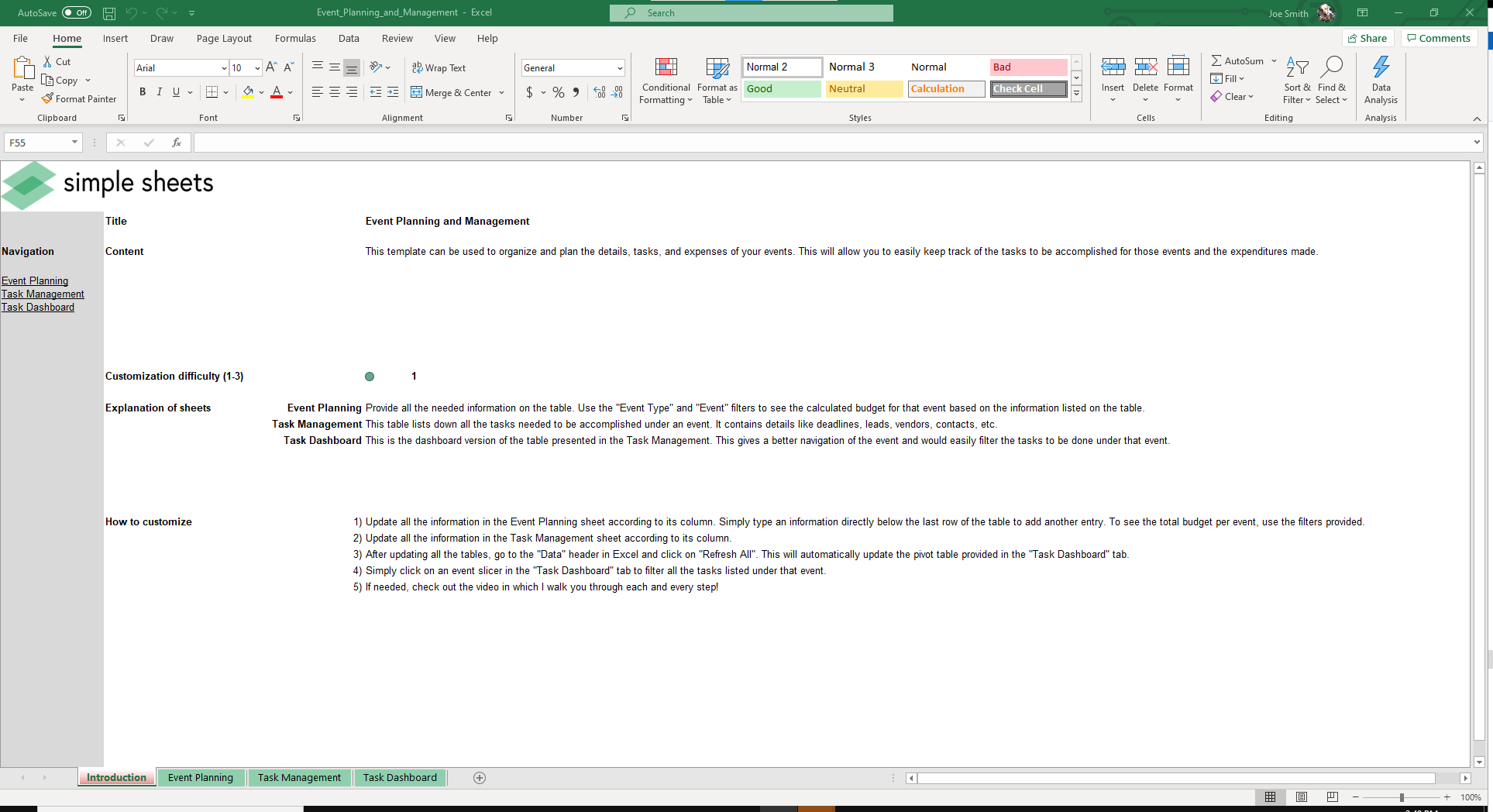
Our Google Sheets and Excel template for event planning is simple to set up and easy to manage. Each part of the sheet is designed to guide you step by step.
- Set up your database: Begin by using the preloaded lists for event types, categories, task leaders, and vendors. You can customize these lists as you desire.
- Plan your event: In the Event Planning sheet, enter details such as event name, type, date, and budget. The sheet automatically calculates expenditure, remaining budget, and remaining days.
- Track tasks: Use the Tasks Management section to assign responsibilities, add deadlines, and update progress. This keeps your team accountable and aligned.
- Monitor vendors: The integrated vendor contact list makes it easy to manage suppliers and service providers directly within your event planning spreadsheet Google Sheets.
- Review your progress: The dashboard summarizes budgets, spending, and task status across all your events
- Refresh for new data: Use the Refresh button to update the dashboard with new information.
Who Is the Google Sheets Event Planning Template for?
This event planning spreadsheet Google Sheets is built for anyone organizing or managing an event. SInce it adapts to different types of events, it can be used by:
- Party planners who want a simple party planning Google Sheet template to keep things organized.
- Wedding coordinators who need a flexible sheet to manage vendors, deadlines, and budgets in one place.
- Corporate teams planning conferences or office events with multiple stakeholders.
- Freelancers and small businesses managing client events.
- Students and committees organizing school events or academic conferences.
Buy Now
Make event planning simple and stress-free with our Google Sheets & Excel event planning template. Instead of managing multiple files or building spreadsheets from scratch, you’ll have one tool that handles budgets, tasks, vendors, and timelines for you.
Get instant access today and start planning your events smarter.
About Simple Sheets
When you choose Simple Sheets, you gain access to a collection of practical tools and ongoing support that make planning and execution simpler than ever. We offer a range of project management solutions, including the Weekly Team Meeting template, Kanban Board template, and Gantt Chart template.
FAQs
1. Can I use the event planning template in both Google Sheets and Excel?
The template works as a Google Sheets event planning template and as an event planning Excel template. Hence, you are free to use it on your preferred platform.
2. Does it track budgets and tasks together?
The event planning Google Sheets template lets you track your budget and tasks in one file.
3. What happens when I want to plan a new event?
You can use the built-in Refresh button to clear old data and start fresh without rebuilding the sheet.
More Small Business Templates For You


