
Inventory Management
Excel and Google Sheets Template
🎯 Best Value: This template + 30 more
Get this plus 30+ Supply Chain & Operations templates for just $79.
Get the Supply Chain & Operations Bundle — $79— OR continue with just this template below —
What's Inside the Inventory Management Template?
Details | 4 Sheets
Supported Versions | Excel 2013, 2016, 2019, Office 365 (Mac), Google Sheets
Category | Supply Chain &Operations, Small Business
Tags | Warehouse, Stock, ERP

Why Professionals Choose Simple Sheets
It's simple. Access to the largest library of premium Excel Templates, plus world-class training.

100+ Professional Excel Templates
Optimized for use with Excel. Solve Excel problems in minutes, not hours.

World-Class Excel University
With our university, you'll learn how we make templates & how to make your own.

How-To Videos
Each template comes with a guide to use it along with how-to videos that show how it works.
Inside Our Inventory Management
Excel and Google Sheets Template
One of the biggest headaches for eCommerce and retailers is making sure you know what it's in stock and when you need to replenish your inventory. Whether you're old school and use pen and paper or use expensive software to manage inventory, we think our inventory management Excel template is a worthy alternative.
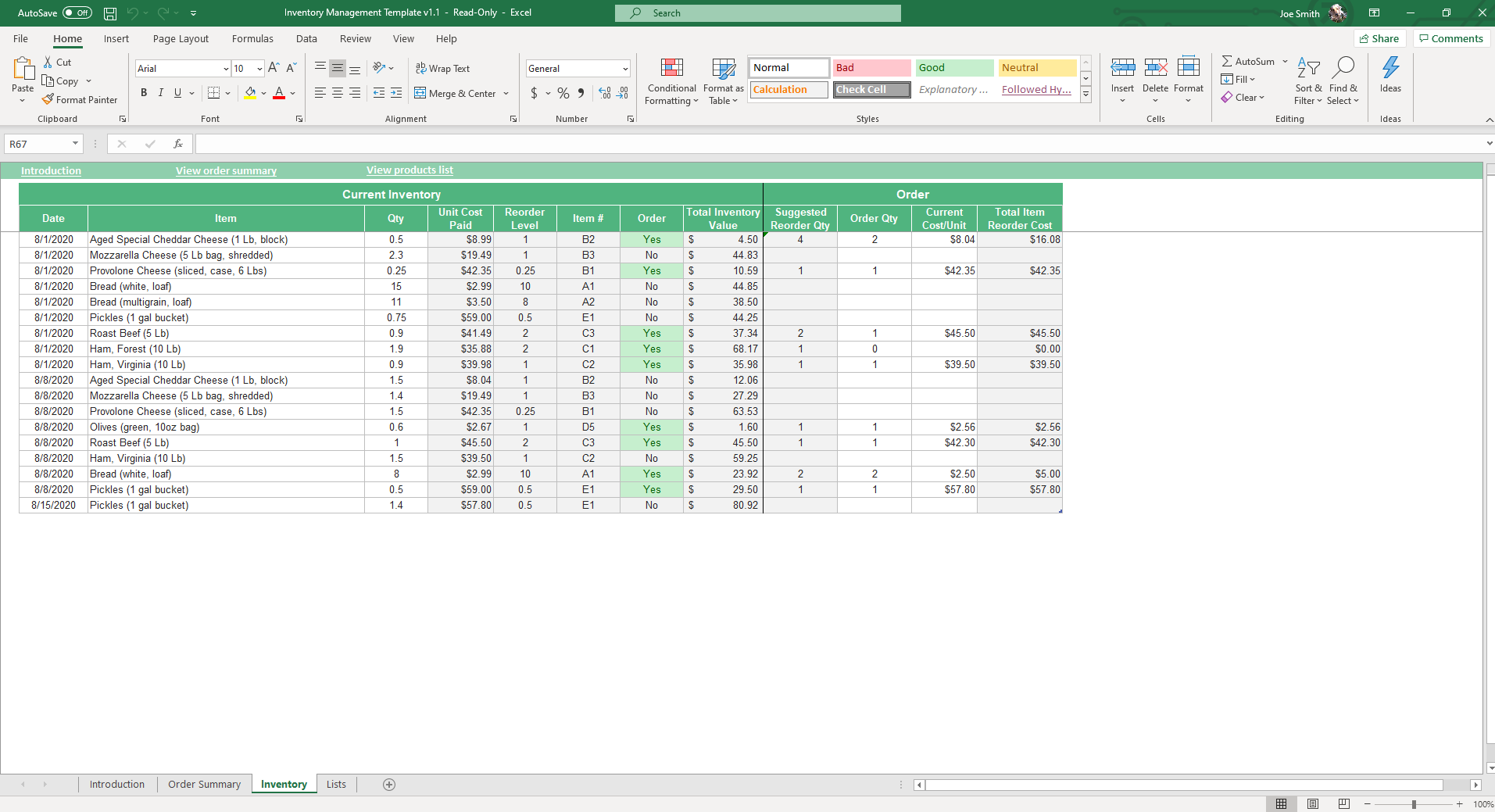
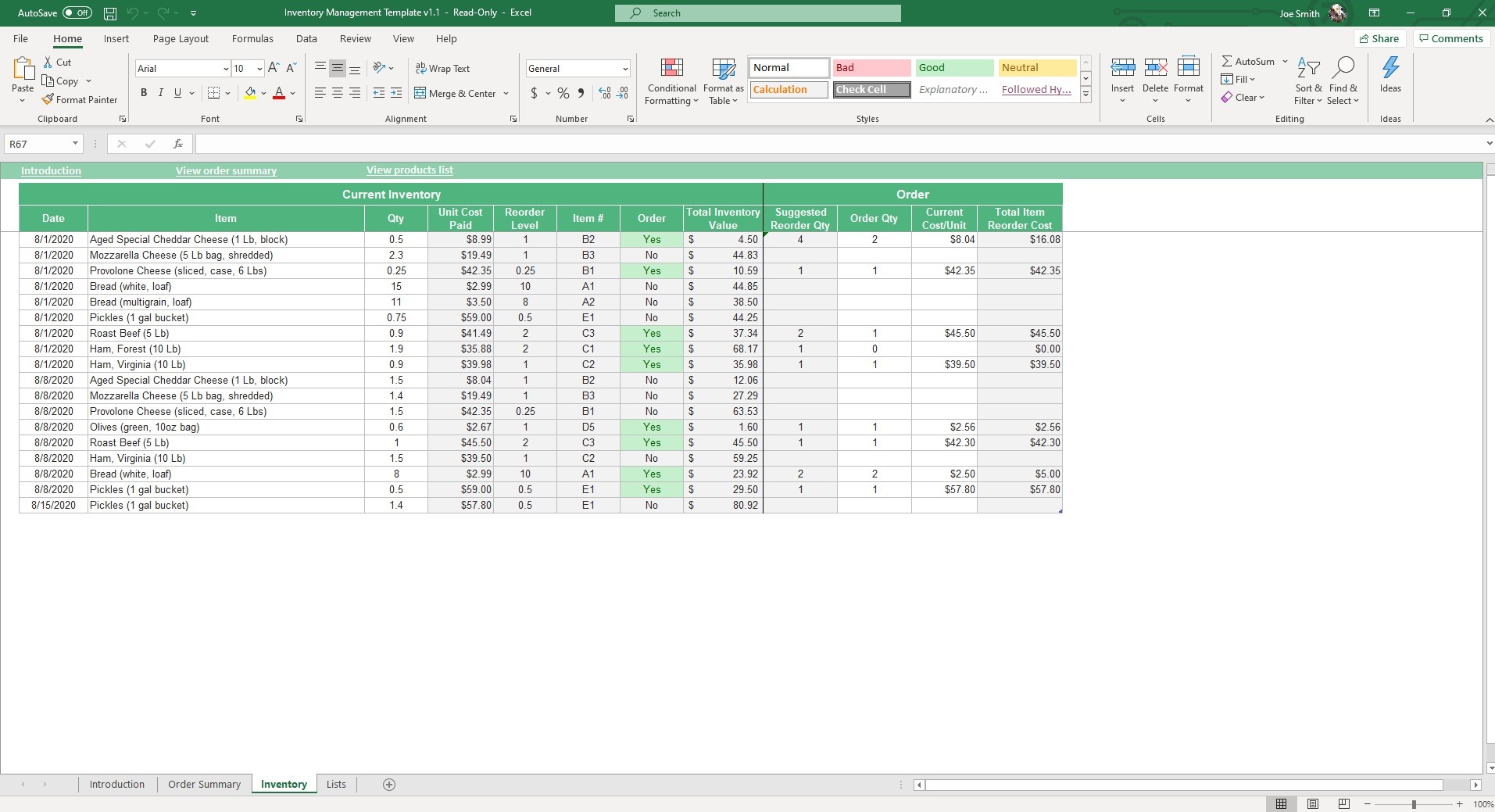
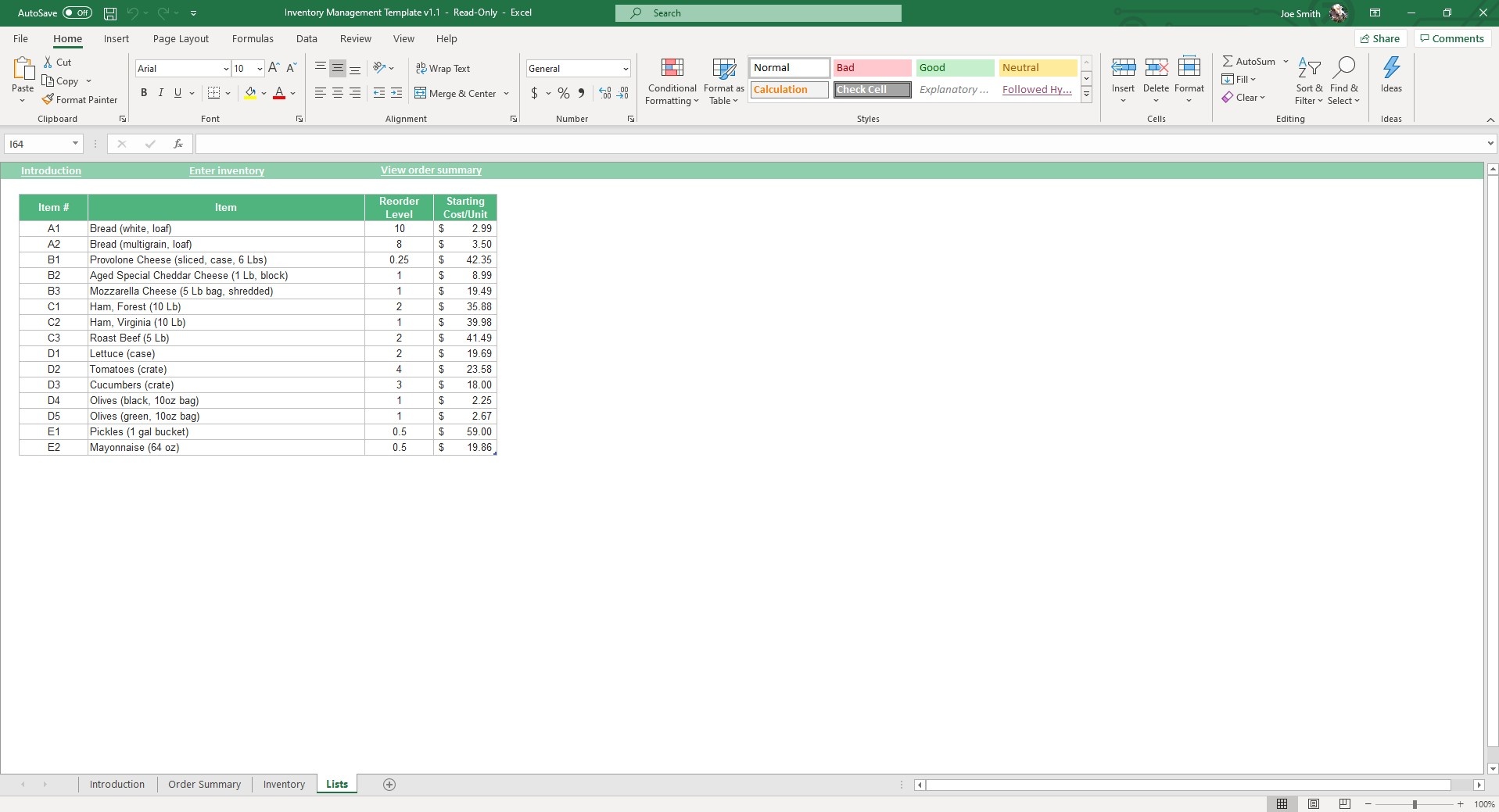
There are four sheets in this template. The first to start with is the Lists tab. It's very straight-forward, just enter the item, item #, reorder level and unit cost. The inventory tab is the second tab. Here you can view your current inventory and other related data point.
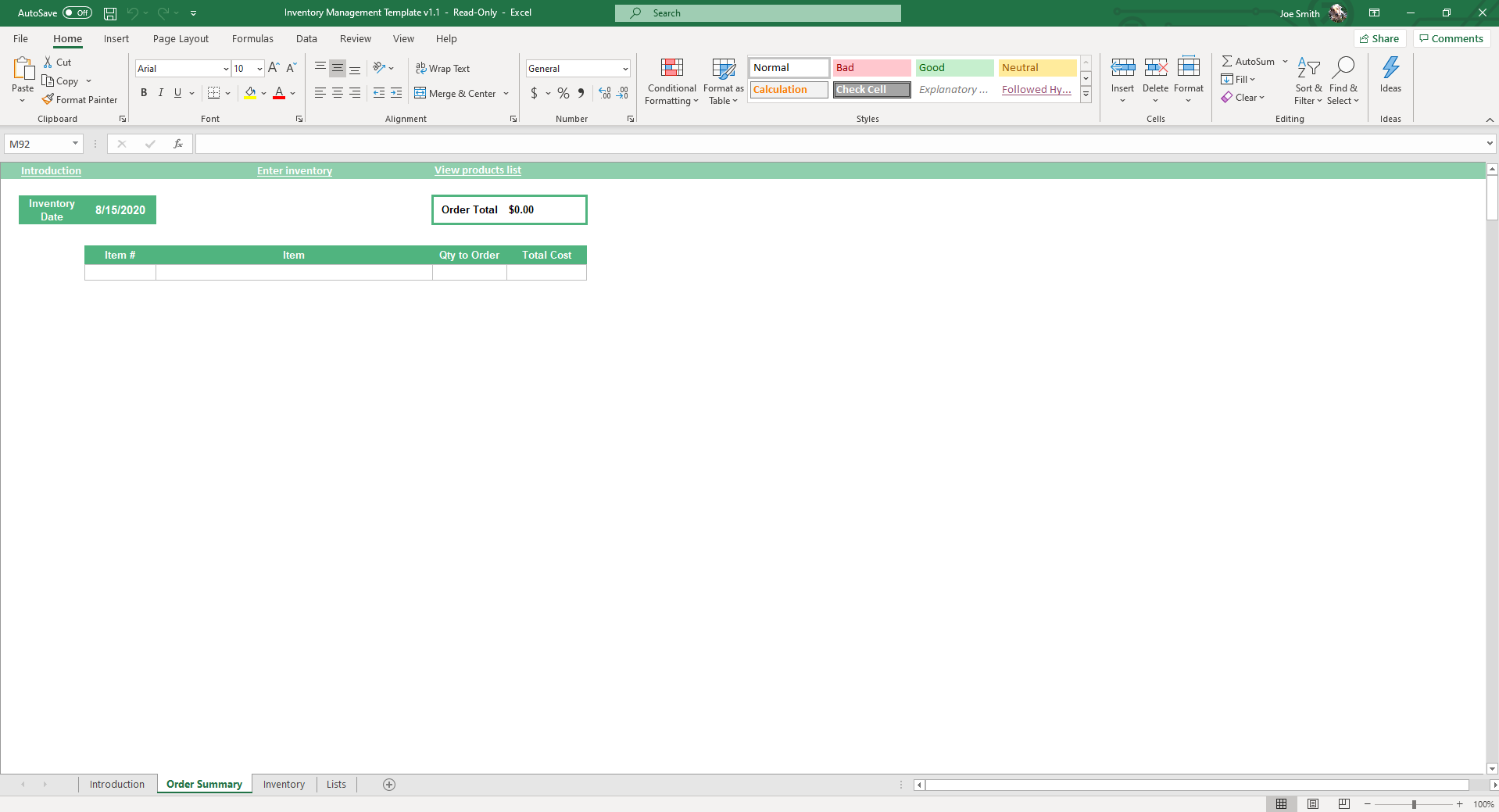
My favorite? A column that tells you when you should reorder or not based on what you've set as the reorder quantity. Lastly, is the Order Summary tab. You can create inventory ordering lists and see a record of previous inventory orders.
Not sure when to reorder? The free reorder point calculator factors in lead time and safety stock.
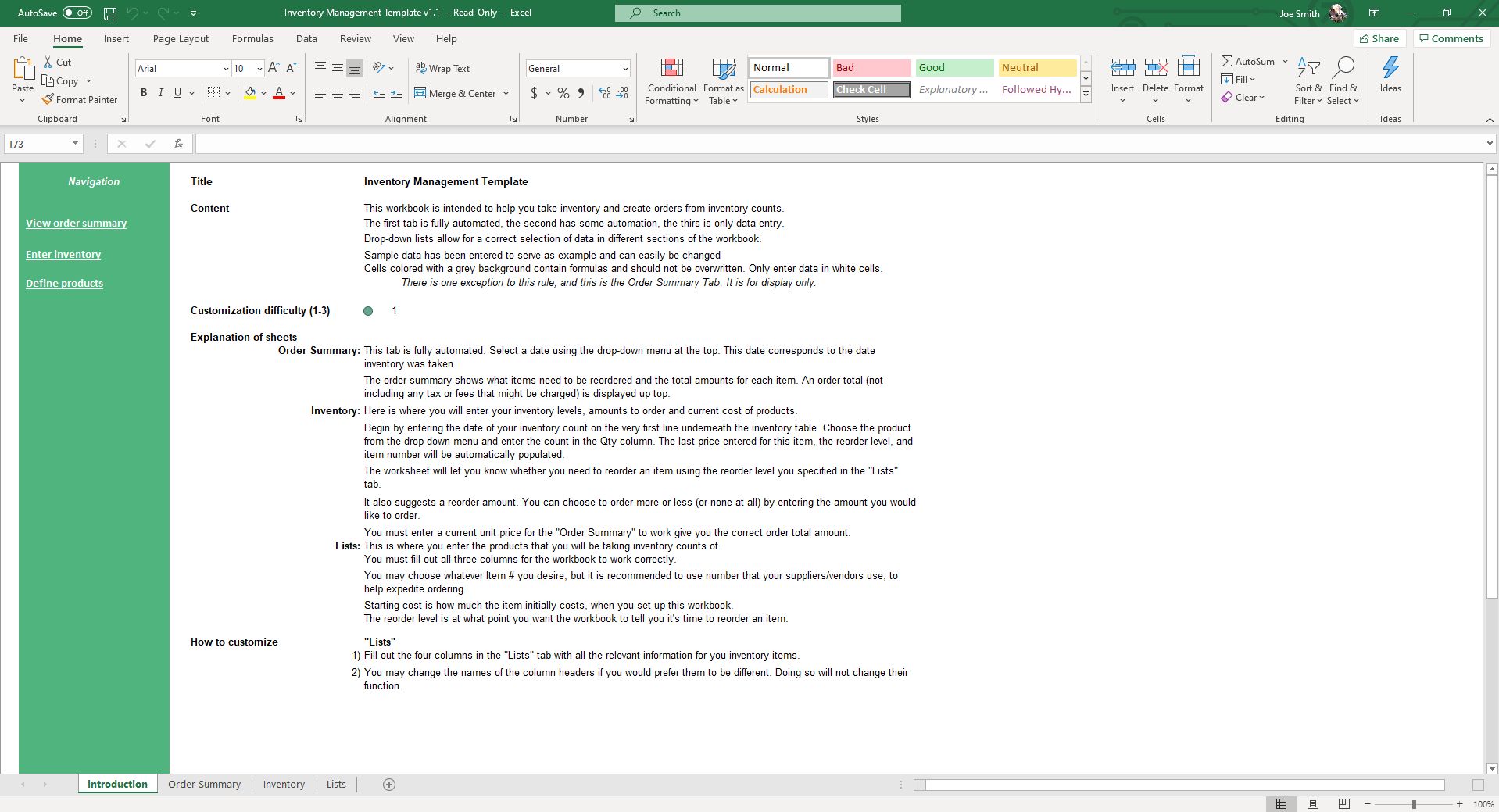
You don't need to be an Excel expert to make use of our templates. Each template is standardized with an 'Introduction' tab that gives you an overview and specific instructions on how to navigate the template. The introduction sheet contains four parts
1) Content - What the template does.
2) Customization Difficulty - On a scale of 1-3, how easy it is to customize the template to your specific need.
3) Explanation of Sheets - A detailed explanation of the logic and use for each sheet.
4) How to Customize -In addition to these four things, most templates come with a video tutorial that walk you through the template, step-by-step, so you know exactly how to achieve what you want with Excel.
Take your business to the next level with improved efficiency, more knowledge and a better outlook on managing your inventory.
If that wasn't enough reason to get this template, did you know this template is compatible with Google Sheets? Collaborate with your co-workers in real time and enjoy the cloud auto-save feature of Sheets when you use this template!
If you enjoy this template, you may also enjoy our Shipping and Receiving Template.
What Is Inventory Management?
At its core, inventory management is the systematic approach to sourcing, storing, tracking, and selling stock—including raw materials, components, and finished products. The primary goal is simple: ensure your business holds the right stock, at the right time, in the right quantity, and at the lowest possible carrying cost. When executed properly, effective stock management eliminates operational bottlenecks, protects your working capital, and keeps your customers satisfied by avoiding unexpected delays.
Understanding what is inventory management requires looking closely at how cash flow ties into physical items sitting on shelves. Maintaining an optimal balance is a constant tug-of-war between supply and demand. To maintain tight stock control and optimize your operations, you must actively track four fundamental metrics using your inventory tracking system:
- Inventory Turnover Ratio: This measures how many times your business sells and replaces its stock over a specific period (usually a month or a year). A high turnover indicates strong sales and efficient stock usage, while a low turnover signals overstocking or stagnant goods.
- Days of Inventory Outstanding (DIO): This metric calculates the average number of days it takes to turn your physical inventory into sales. Minimizing DIO frees up cash that would otherwise remain locked up in storage warehouses.
- Carrying Cost of Inventory: Also known as holding costs, this represents the total cost of storing unsold goods. It includes warehouse rent, insurance, labor, depreciation, and obsolescence. Carrying costs typically amount to 20% to 30% of your total inventory value annually.
- Stockout Costs: This is the financial impact of running out of stock when a customer wants to buy. It includes immediate lost revenue, backorder processing expenses, and the long-term damage to customer loyalty.
By regularly evaluating these numbers within an inventory spreadsheet or inventory sheet, small businesses and enterprise operations alike can identify exactly which products drive profitability and which ones merely drain cash flow. Mastering these fundamentals transforms your warehouse from an expensive cost center into a lean, data-driven engine for business growth.
Inventory Template vs Inventory Software
Choosing between a spreadsheet-based inventory template and a dedicated software platform depends entirely on the operational scale, complexity, and transactional volume of your business. Implementing inventory management excel models or Google Sheets files provides an incredibly agile, cost-effective infrastructure for small business inventory control. For many companies, building a workflow around an excel inventory template is not just a stepping stone, but a highly sustainable, long-term solution.
An advanced inventory management for small business spreadsheet is typically the ideal choice if your operations meet the following criteria:
- You manage fewer than 500 distinct SKUs.
- Your business operates out of a single fulfillment location or retail storefront.
- You have a low to moderate daily transaction volume where updates can be batched daily.
- You require complete customization over your data fields without paying recurring software subscription fees.
In contrast, enterprise-level inventory software becomes necessary when your business scales into high-volume, multi-channel operations. You should consider upgrading to a dedicated software suite when you manage multiple warehouses across different regions, require real-time point-of-sale (POS) synchronization to prevent overselling on e-commerce channels, or handle deeply complex manufacturing assemblies that require automated tracking across several production lines.
For businesses looking to optimize their cash flow without adding software overhead, a standardized spreadsheet fills the gap perfectly. It gives you the structural discipline of high-end software—offering clear records of stock levels, historical orders, and reorder alerts—while maintaining the absolute flexibility and user-friendly familiarity of Excel.
Frequently Asked Questions
What is an inventory management template?
A spreadsheet-based system for tracking stock levels, reorder points, and inventory movements. Smaller businesses use it as a lightweight alternative to dedicated inventory software, with all the core functionality: SKUs, current stock, reorder alerts, order history.
What does this template include?
Four sheets: Lists (item master with reorder levels and unit costs), Inventory (current stock view with reorder alerts), Order Summary (order log and history), and an Introduction tab explaining how to navigate the template.
Does it warn me when stock is low?
Yes. When inventory drops below your reorder level, the template flags it with conditional formatting. The Inventory tab includes a "should reorder?" column that auto-calculates based on your reorder thresholds.
Can I track multiple warehouses or locations?
The base template supports one location. For multiple, duplicate the Inventory tab per warehouse, or add location columns to the existing Items list. Custom-shop adjustments are straightforward.
Does it calculate inventory value?
Yes. Unit cost × current stock = per-item value, summed across the inventory for total inventory value. Useful for monthly close and tax reporting.
Does it support barcode scanning?
Yes, with standard USB barcode scanners that input via keyboard wedge (most do). Scan the SKU and the template looks up the item. For mobile scanning, the Google Sheets version works with the Google Sheets mobile app.
Does it work in Google Sheets?
Yes — both Excel and Google Sheets versions are included.
Pair with: master production schedule template — use your inventory data to plan production.
More Small Business Templates For You


