
Bill of Materials Excel & Google Sheets Template
Get this plus 30+ Supply Chain & Operations templates for just $79.
Get the Supply Chain & Operations Bundle — $79— OR continue with just this template below —
What's Inside the Bill of Materials Template?
Details | 4 Sheets
Supported Versions | Excel 2010, 2013, 2016, 2019, Office 365 (Mac), Google Sheets
Category | Supply Chain & Operations
Tags | BOM, Parts, Inventory


Why Professionals Choose Simple Sheets
It's simple. Access to the largest library of premium Excel Templates, plus world-class training.

100+ Professional Excel Templates
Optimized for use with Excel. Solve Excel problems in minutes, not hours.

World-Class Excel University
With our university, you'll learn how we make templates & how to make your own.

How-To Videos
Each template comes with a guide to use it along with how-to videos that show how it works.
Inside Our Bill of Materials
Excel & Google Sheets Template
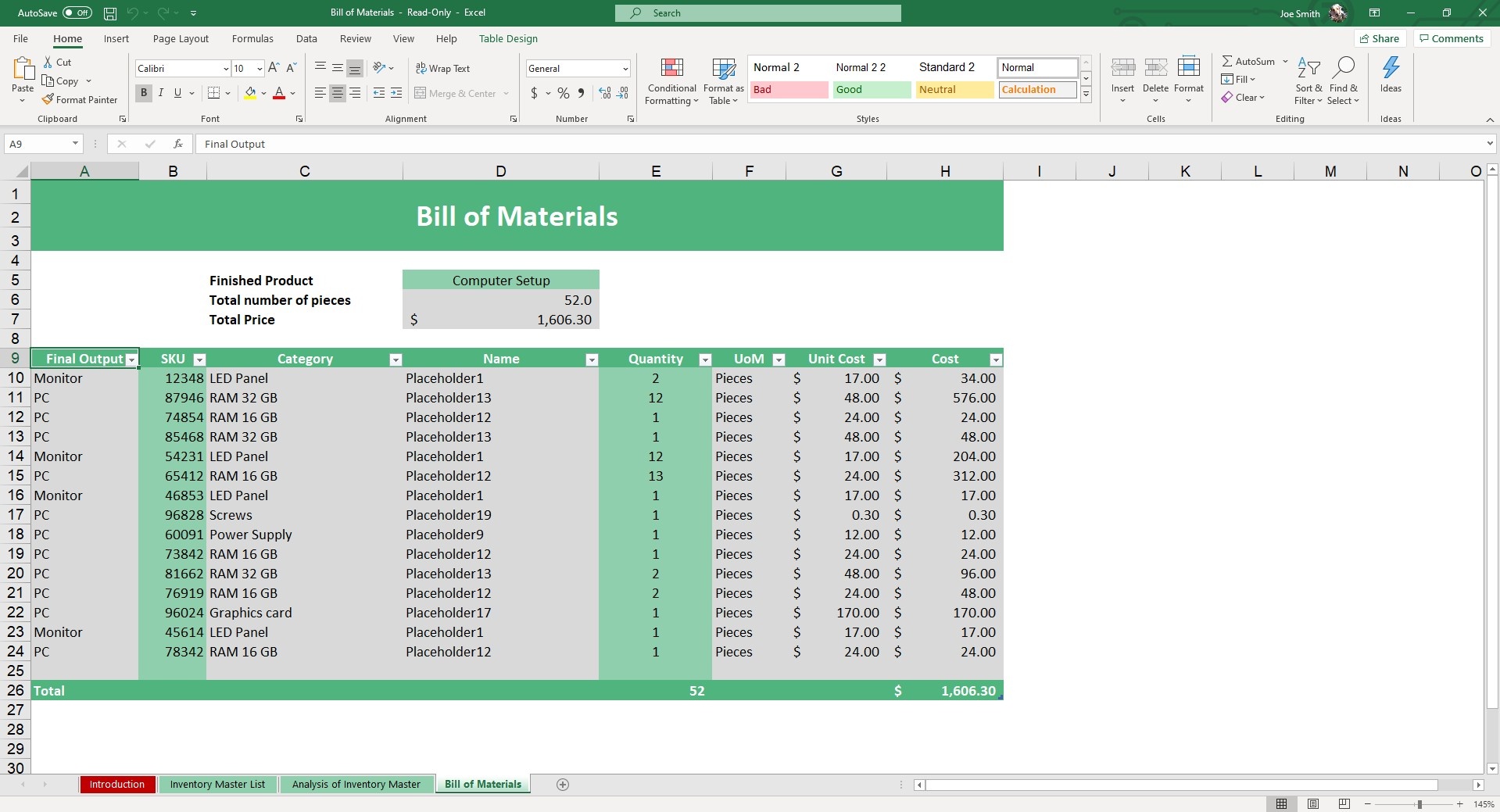
Bill of Materials is a tool used to keep track of individual components needed to manufacture a product. By tracking the unit cost, you can also quickly identify the raw material costs you will be incurring in the course of production.
While there is some software available for BOM, a far better alternative for most organizations is to use Excel where you’re not paying monthly costs just to manage and organize your Bill of Materials.
That’s where our Bill of Materials Excel Template comes in handy. This template is most widely used by people in electronics (as you’ll see in the sample data), construction, engineering and hardware.
There are three sheets in this template. We start off with the Inventory Master List. Fill fields such as Final Output, SKU, Category, UoM, Name and Unit Cost. If you update or edit any of the field headers, be sure to do the same in the Bill of Materials Tab.
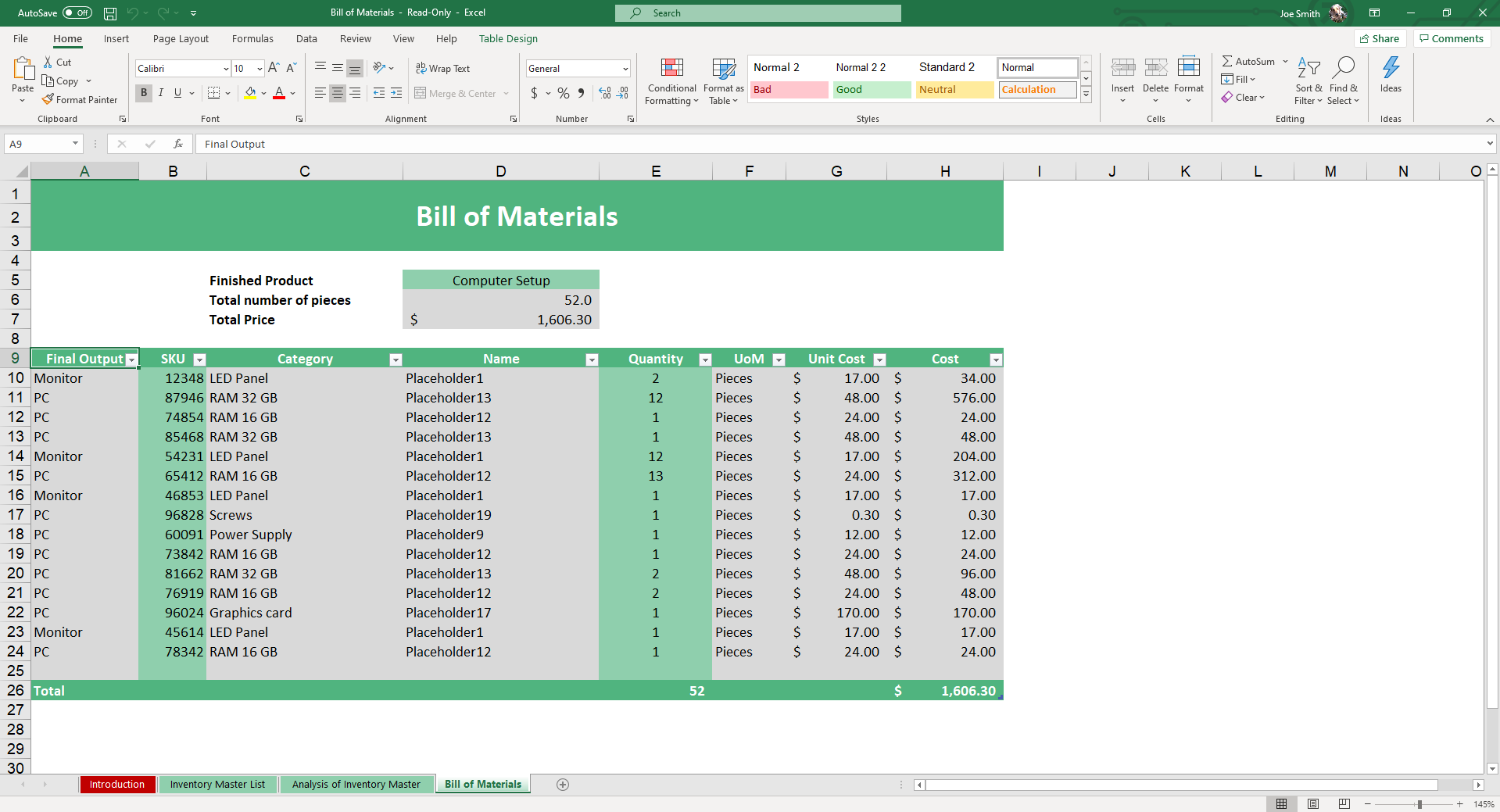
Once you’ve updated that information, jump over to the Bill of Materials sheet. In this sheet, you can put together individual BOMs based on your Inventory Master List. Ensure that you only populate the cells in green, everything else will update automatically.


If you want to have multiple BOMs in this file, simply copy and paste the Bill of Materials sheet.
From there, you can use the Analysis of Inventory Master, fully built with Pivot Tables so you can see a summary of raw parts involved, their cost and the sum of all unit costs for a finished product.
This template comes with a step-by-step video tutorial in addition to instructions on use and customization so you can take advantage of all the features included in our Bill of Materials template.
Because this template is not super formula heavy, it will also work in Google Sheets. You may also like our Inventory Management and Supplier Relationship Management Templates.
Whereas maybe you used just a pen and paper or unformatted spreadsheet, you now have a centralized and formatted database to keep track of your materials.
Frequently Asked Questions
What is a bill of materials (BOM)?
A bill of materials is a complete list of every component, sub-assembly, raw material, and quantity required to build a finished product. Manufacturers use BOMs for production planning, procurement, and product cost calculation.
What does this BOM template include?
Three integrated sheets: Inventory Master List (master record of all SKUs with unit cost), Bill of Materials sheet (components per product), and Analysis of Inventory Master (pivot-table summary showing total components and aggregated cost per finished product).
Can I track multiple products with one file?
Yes. Copy and paste the Bill of Materials sheet to create additional BOMs in the same workbook. The Analysis pivot rolls up across all of them.
What's the difference between single-level and multi-level BOM?
Single-level lists only the immediate components of one finished product. Multi-level includes sub-assemblies that are themselves built from components — useful for complex products with assemblies (e.g., a bike with a built-up wheel assembly). This template supports both.
Does this work for non-manufacturing products?
Yes. The "components" can be software modules, service deliverables, or any composable inputs. Construction (materials), electronics (parts), food production (ingredients) — all map to the BOM structure.
Can I calculate total product cost?
Yes. Unit cost × quantity per BOM line = component cost. Summed across the BOM = total product material cost. Add labor and overhead separately for full cost.
Does it work in Google Sheets?
Yes — both Excel and Google Sheets versions are included.
Single-Level vs Multi-Level BOM
The complexity of your finished product determines whether you will manage your operations with a single-level or multi-level bill of materials. To optimize your stock management and prevent component shortages, you must choose the structure that best fits your assembly process. A single level bom is a flat list that displays all the raw parts and their required quantities, assuming that every component is sourced or manufactured to its final state before being used in the final assembly. Consider a bicycle factory: a single-level BOM might list wheels, a frame, handlebars, a saddle, pedals, a chain, and reflective gear. It provides a simple inventory list template for ordering, but it fails to illustrate how the components are built.
For more intricate products involving sub-assemblies, a multi-level BOM (also called an **indented bom**) is essential. This bom excel template uses a hierarchical, multi-tiered structure to show how sub-assemblies relate to the final product. A simple visual example of this parent-child hierarchy is:
- Bicycle (Finished Product)
- Frame (Component)
- Wheels (Component, Sub-Assembly)
- Rim (Component)
- Tire (Component)
- Hub (Component)
- Spokes (Component)
- Handlebars (Component)
- Pedals (Component)
This bom template structure allows engineering and manufacturing teams to manage each tier independently. For instance, the **bill of materials example** above shows that while the frame is a direct component of the final bicycle, the wheels themselves have their own BOM, often called a sub-BOM. If you manage a multi-tiered production workflow, you can handle both structures using this template by building the sub-BOMs in separate sheets and then treating each completed sub-assembly as a single line item with its accumulated unit cost within your primary BOM sheet. This keeps your main inventory spreadsheet lean and organized without sacrificing the detail needed for proper manufacturing inventory management.
Connecting BOM to Production Scheduling and Inventory
A finalized bill of materials template is not a static document; it is the cornerstone of effective operational planning. In any optimized stock management system, your BOM must be tightly integrated with your production scheduling and active inventory tracking. This connection is how manufacturing businesses prevent both standard stockouts and incredibly costly production line stoppages. By understanding this relationship, you can master your material flow and avoid the financial pitfalls of inaccurate inventory management for small business.
The fundamental connection is simple arithmetic: your BOM list times your desired production quantity for a given period equals your raw material requirements. For example, if you manage a small workshop that builds furniture and your sample bill of materials for a chair requires six wood screws, and your master production schedule calls for 50 chairs to be built this week, you know you must have a minimum of 300 wood screws available before production begins.
This calculation is the basic mechanism of Material Requirements Planning (MRP). It directly drives your inventory management decisions. A robust mrp process uses your real-time BOM data and production schedule to analyze your current on hand bom and inventory levels and automatically generates necessary purchase orders or production signals. By linking your BOM sheets to a centralized inventory management template, you remove guesswork from your supply chain. This visibility ensures that raw materials are not just available, but that they arrive with precise timing—optimizing your carrying costs and ensuring your manufacturing operations keep moving without a single delay.
More Operation Templates For You


