Critical Path Method Template
🎯 Best Value: This template + 30 more
Get this plus 30+ Project Management templates for just $99.
Get the Project Management Bundle — $99— OR continue with just this template below —
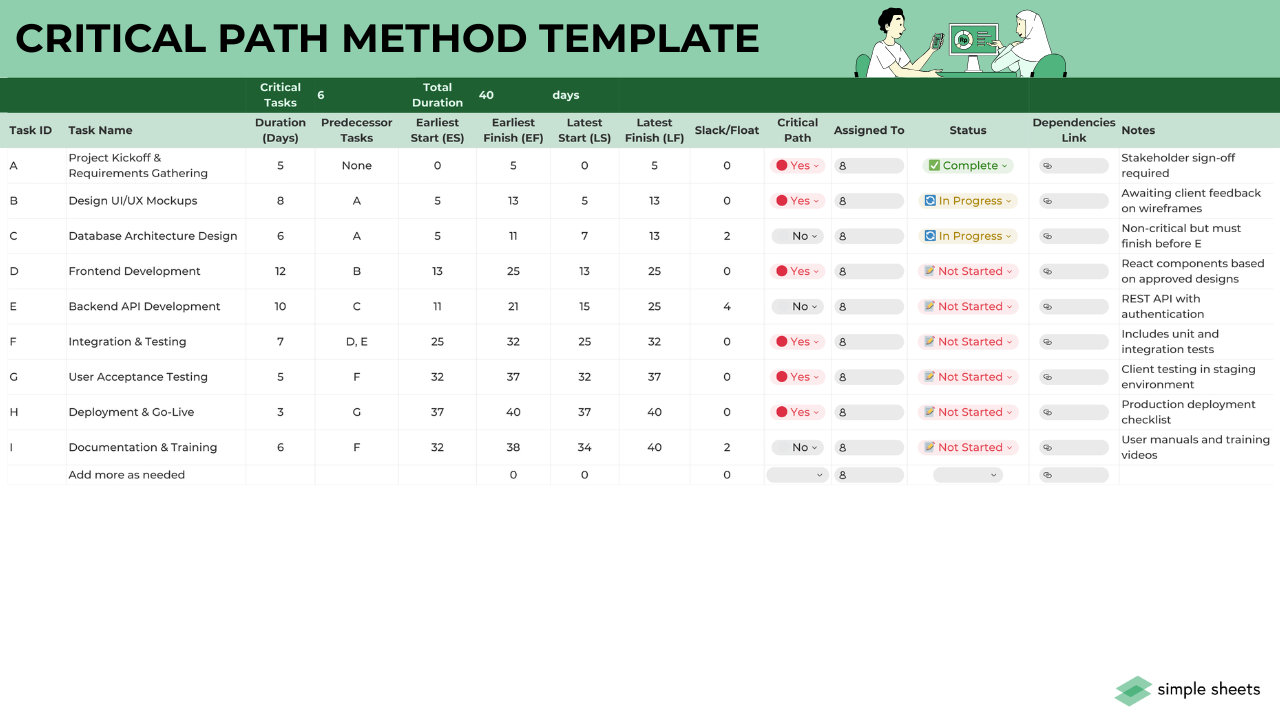
What's Inside the Critical Path Template?
Details | 2 Sheets
Supported Versions | Excel 2010, 2013, 2016, 2019, Office 365 (Mac)
Category | Project Management
Tags | CPM, Gantt Chart
Why Professionals Choose Simple Sheets
It's simple. Access to the largest library of premium Excel Templates, plus world-class training.

100+ Professional Excel Templates
Optimized for use with Excel. Solve Excel problems in minutes, not hours.

World-Class Excel University
With our university, you'll learn how we make templates & how to make your own.

How-To Videos
Each template comes with a guide to use it along with how-to videos that show how it works.
Inside Our Critical Path Excel Template
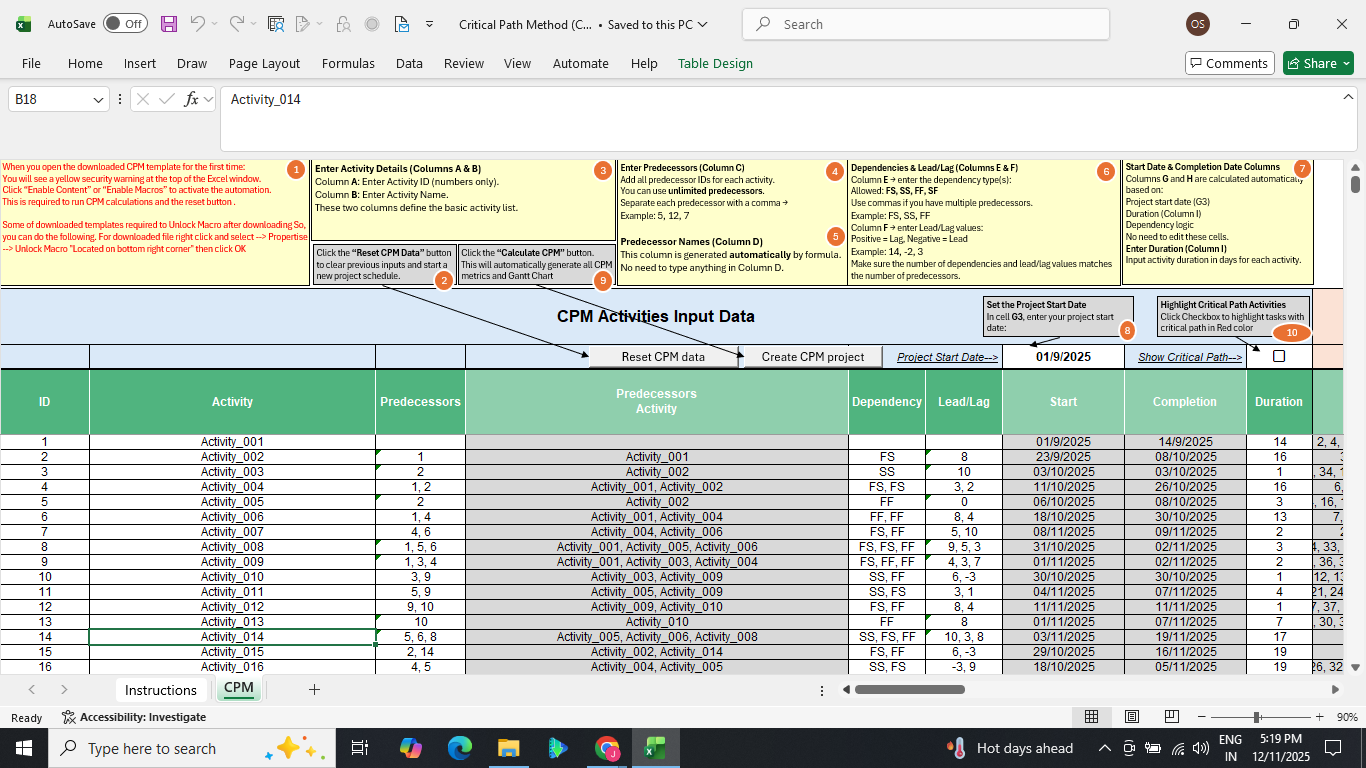
Project timelines are easier to manage when you can clearly see which tasks determine your finish date. That’s exactly what this critical path analysis template is built to do.
Designed as a fully automated critical path Excel template, it helps you calculate schedules, manage dependencies, and identify the tasks that cannot be delayed.
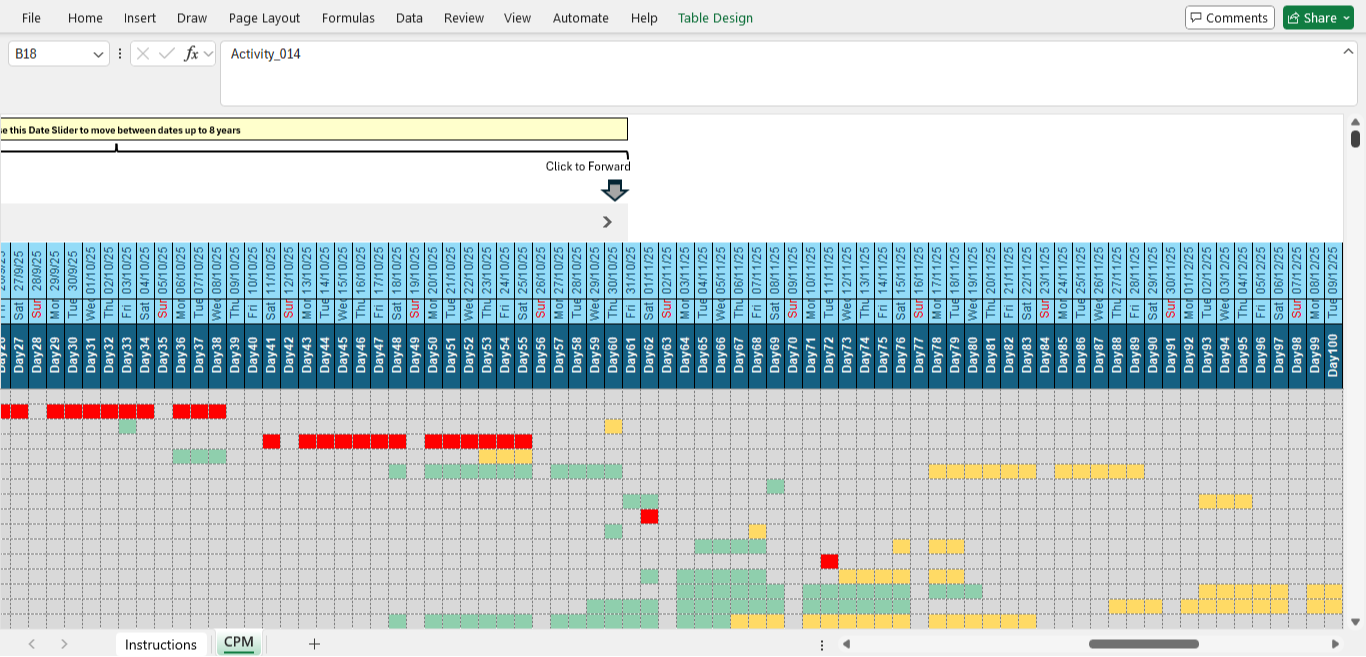
With this critical path method template, you can build full CPM schedules, apply lead and lag logic, and view your entire timeline on a dynamic critical path chart and Gantt view.
Everything updates automatically as you enter your data to give you a clear picture of your project.
Key Features of the Critical Path Method Template
We have built this critical path Excel template to automate CPM scheduling and critical path identification without extra tools or manual calculations. See its best features below.
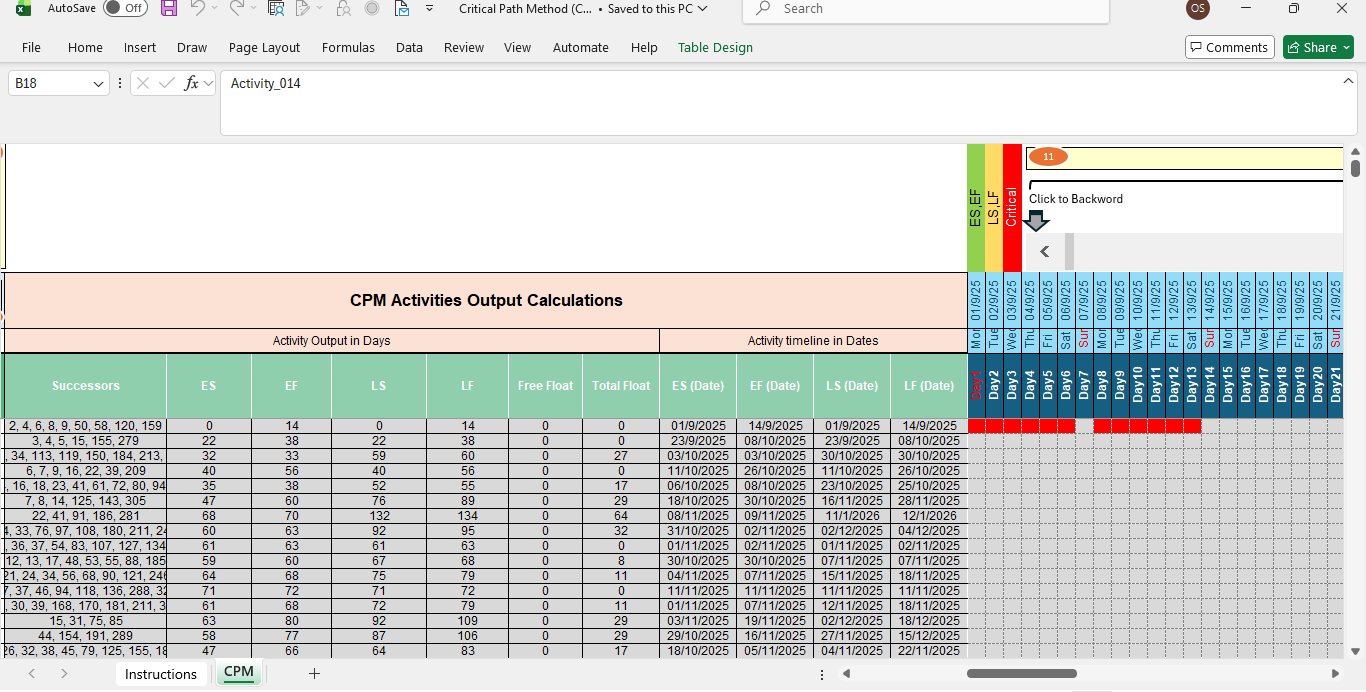
- Automated CPM schedule calculation: Once you enter your activities, durations, and predecessors, the template automatically calculates Early Start, Early Finish, Late Start, Late Finish, Free Float, and Total Float. This gives you a complete CPM schedule template without manual formulas.
- Multiple predecessors: Each task supports multiple predecessors with clear dependency logic, such as Finish-to-Start, Start-to-Start, and Finish-to-Finish. Lead and lag values are also supported for flexible scheduling.
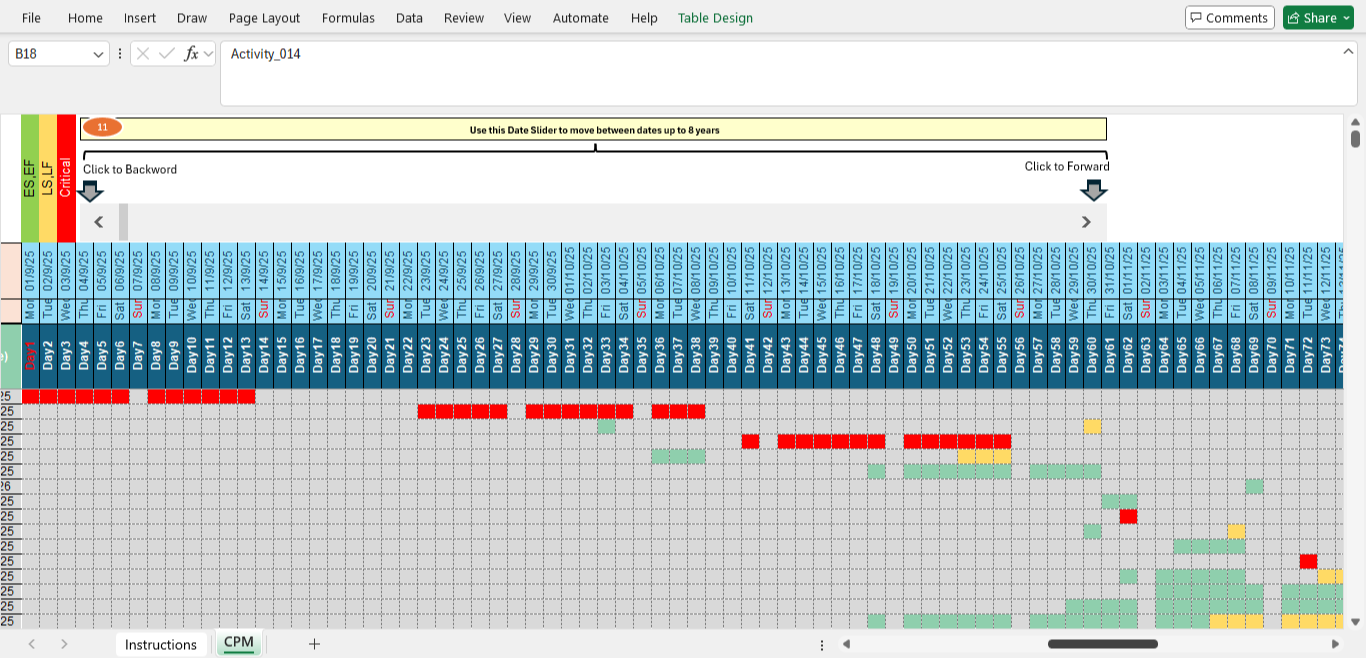
- One-click critical path highlighting: With a single button, the template highlights all zero-float activities in red so you can instantly see the critical path of the Gantt chart and the tasks that directly control your deadline.
- Dynamic Gantt chart with critical path view: Your full project timeline is displayed as a scrolling Gantt chart critical path view with color-coded bars for early, late, and critical activities. This works as both a critical path chart and a visual progress tracker.
- Automated successors and float tracking: Successor activities, free float, and total float are generated automatically for each task. This makes the critical path method Excel workflow fully automated.
How to Use the Critical Path Template
This critical path analysis Excel template is simple to set up and fully automated once . You only need to follow a few steps to generate your full CPM schedule and Gantt chart.
- Enter your start date: Set the project start date in the main dashboard. This single input controls all schedule calculations across the entire critical path method template.
- Add your activities and durations: Enter each activity ID, name, and duration in the input table. These values form the base of your critical path project management template.
- Set predecessors and dependency types: For each task, select one or more predecessor IDs and choose the dependency type such as Finish-to-Start, Start-to-Start, or Finish-to-Finish. You can also apply lead or lag values where needed.
- Create the CPM schedule: Click the button to build your CPM schedule. The CPM template will automatically calculate Early Start, Early Finish, Late Start, Late Finish, Free Float, and Total Float.
- Show the critical path: Use the Critical Path button to instantly highlight all zero-float tasks in red. This reveals the full critical path of the Gantt chart and the activities that control your deadline.
- Review the Gantt chart: Scroll through the dynamic critical path Gantt chart to view your project timeline by day, week, and month. Early, late, and critical tasks are clearly color-coded.
- Reset for a new project anytime: Use the Reset button to clear all data and reuse the simple critical path template Excel for a new project.
Who Is This Template for?
This project management critical path template is suitable for anyone who needs clear scheduling without complex software. If your work depends on deadlines and task sequencing, this template gives you a reliable way to stay in charge of your project timeline.
- Project managers who need a reliable critical path schedule template for deadline control.
- Construction and engineering teams tracking dependencies and the critical path of the Gantt chart.
- Operations managers planning workflows with a critical path method Excel structure.
- Students and trainees learning the critical path method.
- Consultants and freelancers delivering professional critical path project management templates to clients.
Buy the Critical Path Excel Template
Take control of your project timelines with a critical path Excel template that does all the heavy lifting for you. Each purchase comes with the complete CPM engine, automated critical path highlighting, a scrollable Gantt chart, and step-by-step instructions. We also offer after-sales support to ensure you get the best experience.
FAQ
1. What is a critical path template?
A critical path template is a scheduling tool that calculates the longest sequence of tasks in a project. This version automatically builds your CPM schedule and highlights the critical path.
2. Does the template include a critical path Gantt chart?
The Gantt chart updates automatically and displays the full critical path of the Gantt chart with color coding.
3. Can I reuse the template for multiple projects?
You can reset the data with one click and rebuild your CPM schedule anytime.
More Project Management Templates For You