
Flow Chart Template
Excel
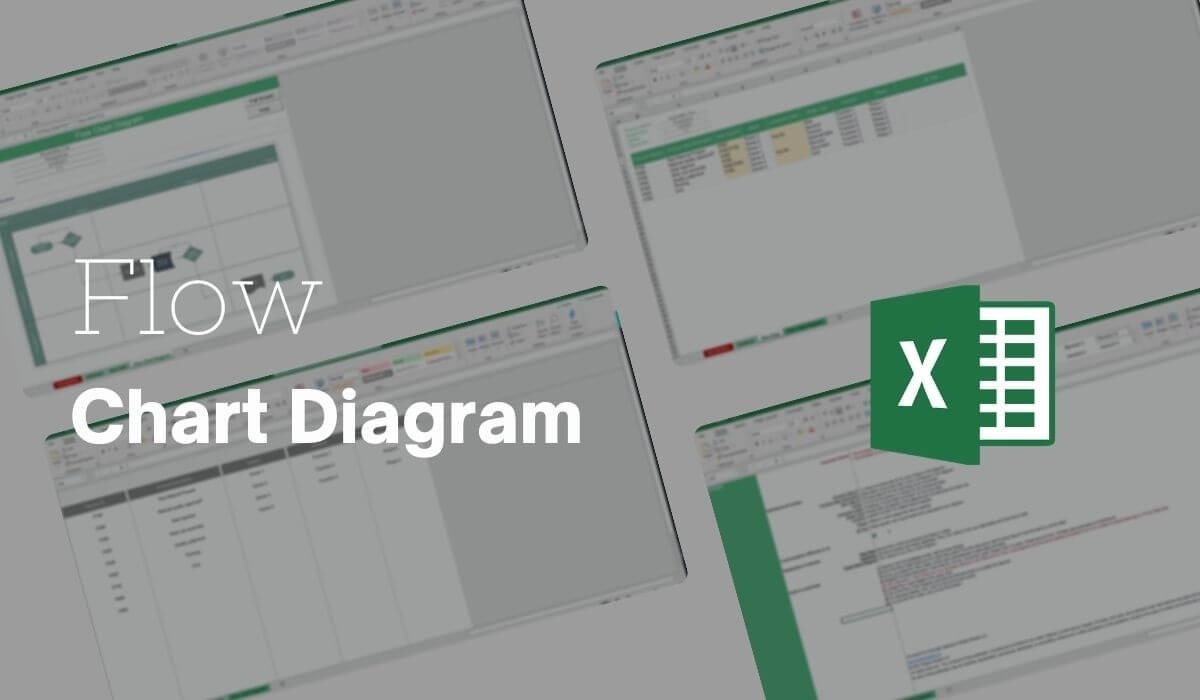
What's Inside the Flow Chart Diagram?
Details | 4 Sheets
Supported Versions (All Features) | Excel 2019, Office 365 (Mac)
Supported Versions (Significant Features) | Excel 2016, 2019, Office 365 (Mac)
Category | Operations, Small Business, Strategy & Management
Tags | Algorithm, Procedure, Process Flow
Why Professionals Choose Simple Sheets
It's simple. Access to the largest library of premium Excel Templates, plus world-class training.

100+ Professional Excel Templates
Optimized for use with Excel. Solve Excel problems in minutes, not hours.

World-Class Excel University
With our university, you'll learn how we make templates & how to make your own.

How-To Videos
Each template comes with a guide to use it along with how-to videos that show how it works.
Inside Our Flow Chart Excel Diagram
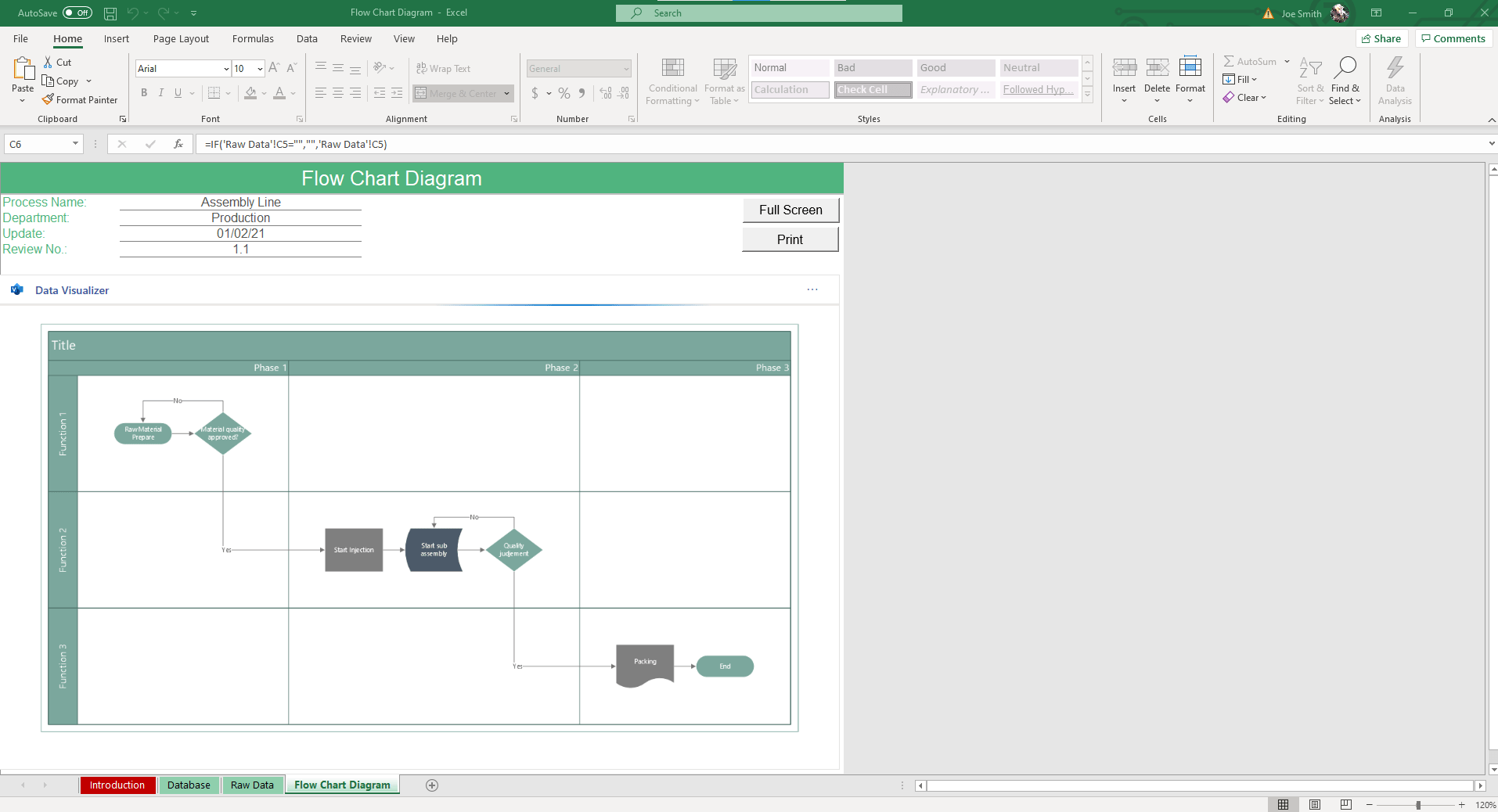
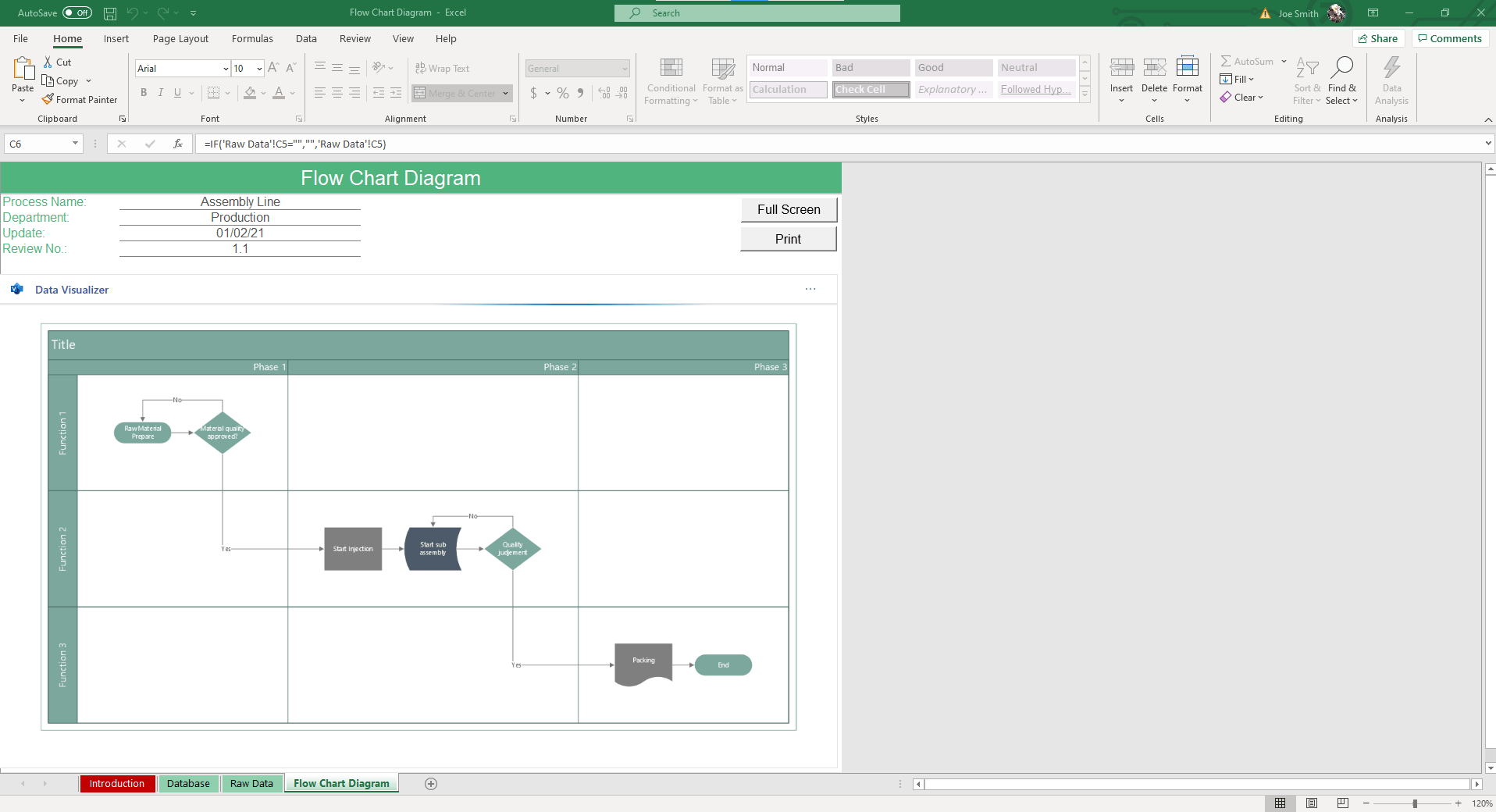
Looking for a simple way to turn your processes into diagrams? Our flow chart template Excel makes process mapping fast and accurate. You only need to enter your steps and details, and the spreadsheet creates the flow chart for you.
With built-in shapes and connectors, you can map workflows, decisions, and business processes without hassle. This Excel flow chart template is flexible enough for engineers and project managers across various industries.
What Is a Flowchart?
A flowchart is a visual tool that shows the steps of a process from the beginning to the end. Each step is displayed as a shape, connected by arrows, so it’s easy to see how tasks move from one stage to the next.
A flowchart Excel template gives you a ready-made structure to build these diagrams. Once you enter process details, assign owners, and add decision points, Excel will generate a flowchart that shows the entire workflow. This makes it simple to document processes and share a clear picture with your team.

Why Use Our Flow Chart Template Excel?
Creating a flowchart in Excel can be time-consuming if you build it step by step. Our ready-to-use flow chart Excel template speeds up the process and reduces errors.
- Work faster: Build flowcharts in minutes instead of spending hours formatting shapes and connectors.
- Improve clarity: Show each step of a process in a clean layout that anyone can understand.
- Stay consistent: Keep every flowchart aligned with the same structure. This makes them easier to read and compare.
- Support better decisions: Highlight bottlenecks or decision points so teams can see where improvements are needed.
- Collaborate easily: Share your flowchart template Excel with colleagues so everyone works from the same process map.
Features of the Flowchart Excel Template
Our flowchart Excel template is a complete system that turns process data into professional flowcharts automatically. See some of its best features below:
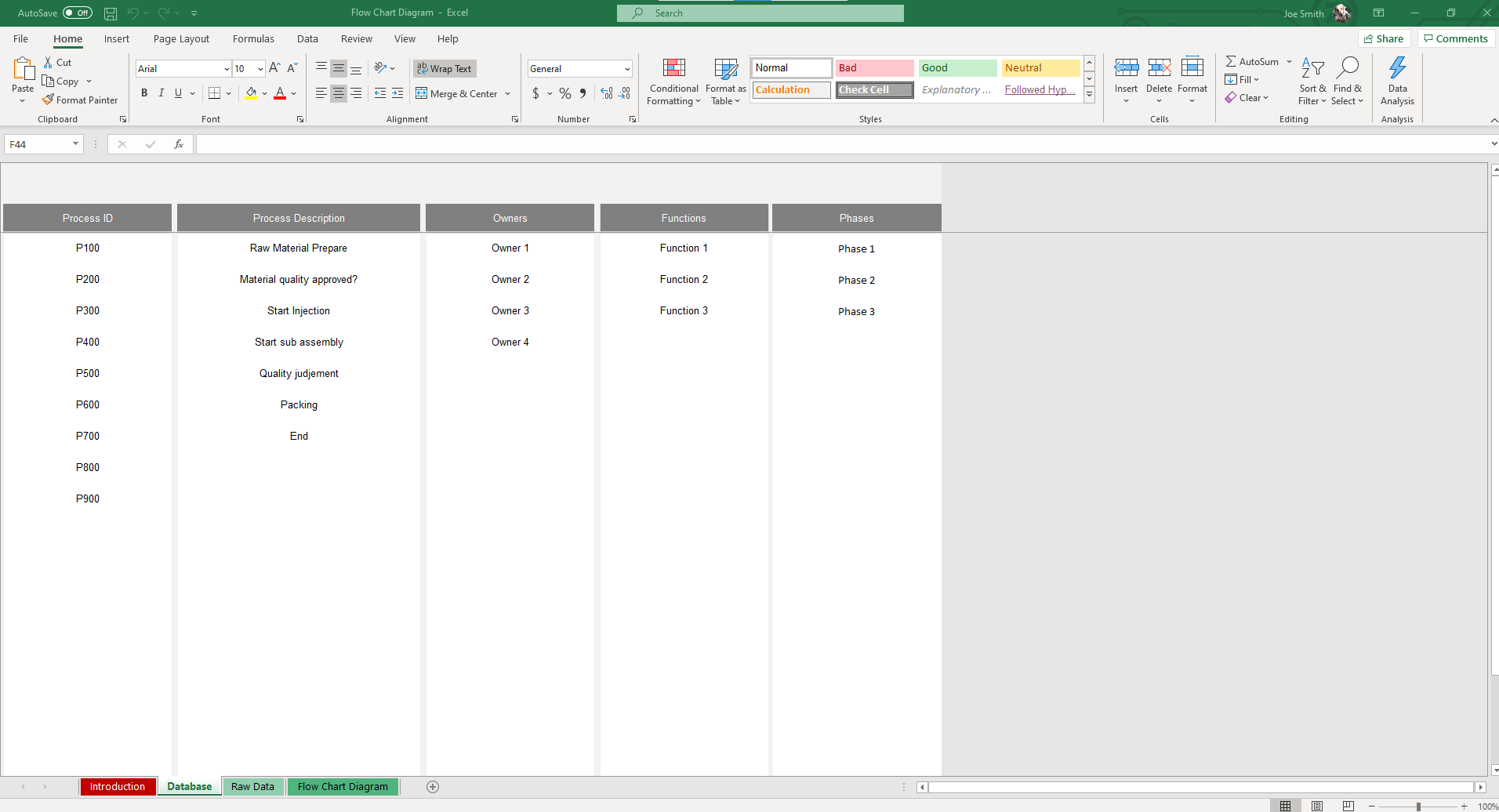
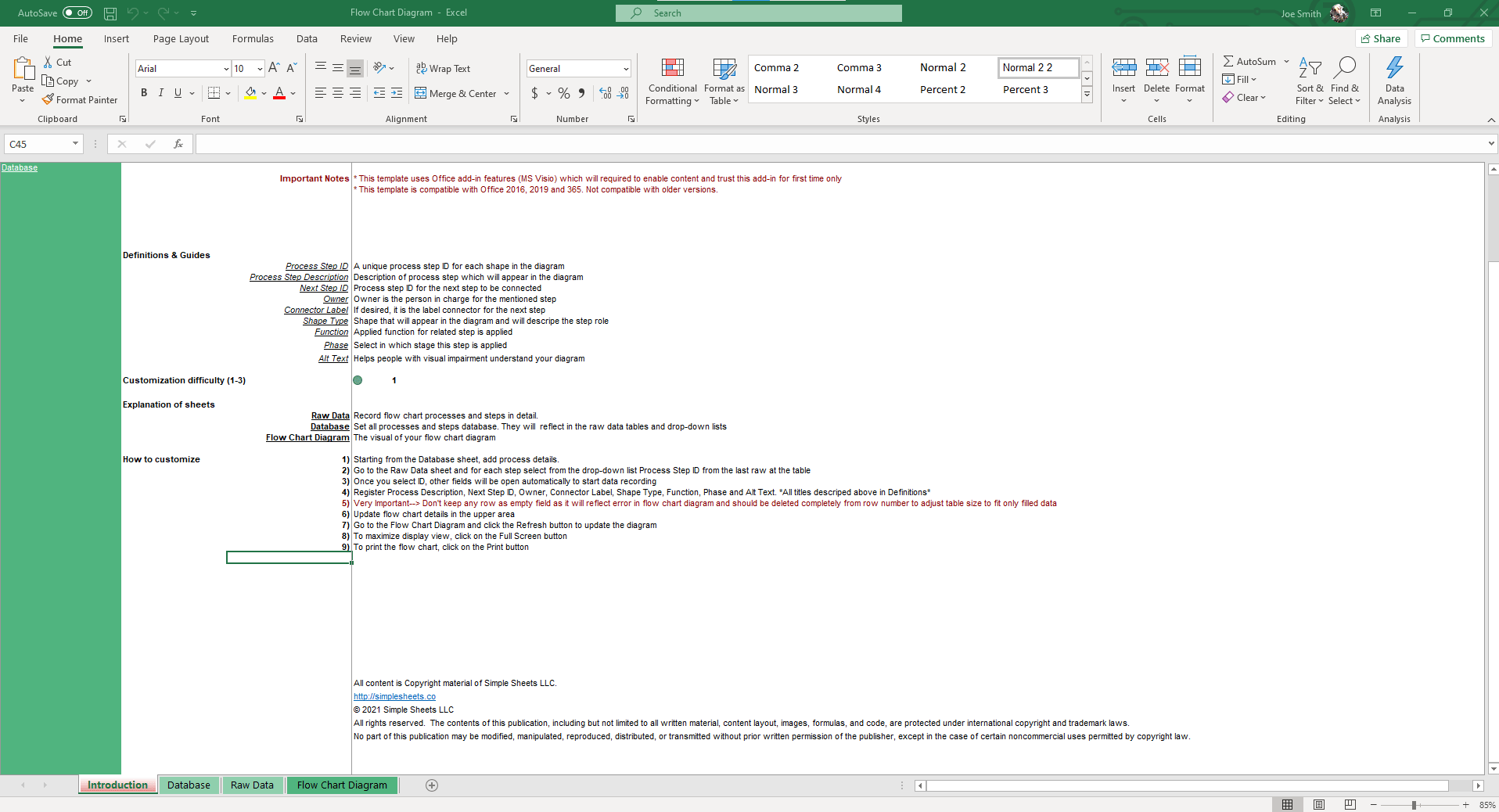
- Process database: Preloaded lists for Process IDs, Owners, Functions, and Phases help you keep data consistent across every chart.
- Branching and connectors: Map decision paths with “Yes/No” labels and multiple outcomes.
- Automatic chart generation: Enter data once, and Excel builds the flowchart instantly without manual formatting.
- Role and phase tracking: Assign owners and phases to make responsibilities clear at every step.
- MS Visio integration: Export charts or connect directly to Microsoft Visio for advanced diagramming when needed.
- Professional outputs: Create flowcharts that are ready to share in reports and presentations.
How to Use the Flow Chart Template Excel
You don’t have to be an Excel expert to create a flowchart. With this process flow chart template Excel, you only need to enter your process details once, and the chart builds itself. Follow the steps below:
- Start in the Database sheet: Add process details such as Process IDs, Owners, Functions, and Phases. These lists feed into the Raw Data sheet and keep your information consistent.
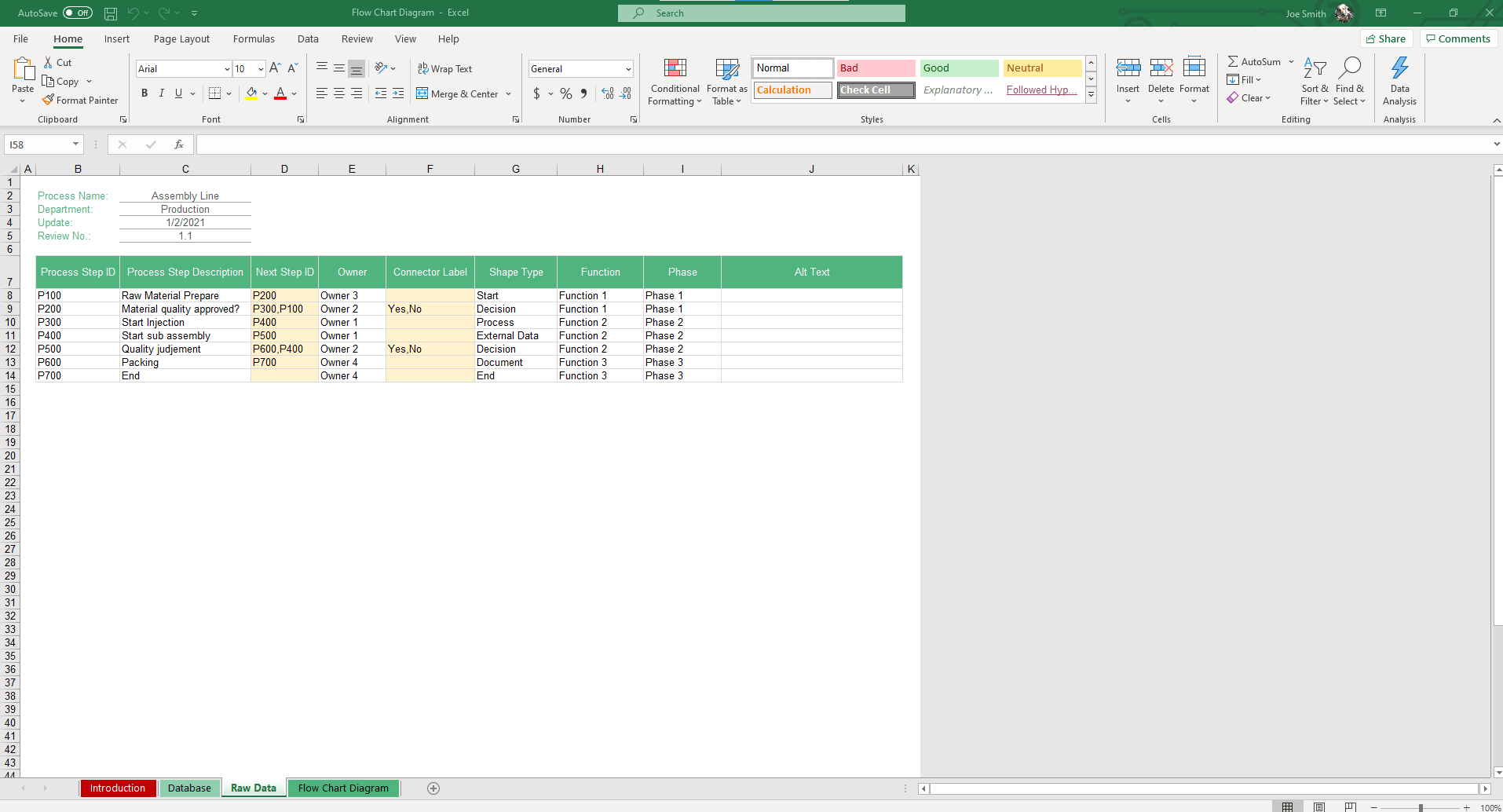
- Go to the Raw Data sheet: Select each step from the drop-down list using its Process Step ID. Once selected, the related fields open automatically so you can begin adding details.
- Enter process details: Fill in descriptions, next steps, owner names, connector labels, shape type (Start, Process, Decision, External Data), function, phase, and alt text. Alt text is included to improve accessibility.
- Keep data clean: Make sure you don’t keep empty rows, as they will affect the chart display. Only enter the rows you need.
- Update and refresh: After entering your steps, go to the Flow Chart Diagram sheet and click the Refresh button. This updates the chart with your latest data.
- Adjust your view: Use the Full Screen button for a clearer view of the diagram.
- Print or export: Once complete, click the Print button to create a shareable copy of your chart, or connect it to MS Visio for advanced diagramming.
Who Can Use the Flow Chart Template Excel?
We have created a flexible project management tool for many use cases. You can use this Excel process flow template across multiple industries and roles.
- Project managers can use it to track workflows and identify who is responsible for each step.
- Business analysts rely on it to record procedures in detail and highlight areas where improvements are needed.
- Engineers and IT teams apply it to outline technical processes and map decision points within systems.
- Operations and customer service teams use it as a guide for standard procedures.
- Educators and trainers can use it to create simple workflows for lessons and workshops.
Download the Flow Chart Template Excel
With our Excel flow chart template, you can turn your process data into a professional flowchart in minutes. It works in all versions of Microsoft Excel and is flexible enough to handle simple workflows and complex decision trees.
About Simple Sheets
At Simple Sheets, we make complex tasks easier by designing time-saving Excel templates. Our tools are built for clarity and practicality to help teams manage projects, analyze data, and improve processes with confidence.
If you want more project management tools, check out our Process Decision Program Chart and Failure Mode and Effects Analysis templates.
FAQs
1. Can I use this template in any version of Excel?
The flow chart template Excel works with all modern versions of Excel, including Office 365.
2. Do I need advanced Excel skills to use it?
The template is beginner-friendly. You simply enter your process details in the Raw Data sheet, and the chart generates automatically.
3. What if I need help customizing it?
Every download comes with access to customer support from Simple Sheets, so you can get guidance when you run into challenges.
More Operations Templates For You


