
Simple RACI Template for Excel & Google Sheets
🎯 Best Value: This template + 30 more
Get this plus 30+ Project Management templates for just $99.
Get the Project Management Bundle — $99— OR continue with just this template below —
What's Inside the RACI Matrix Template?
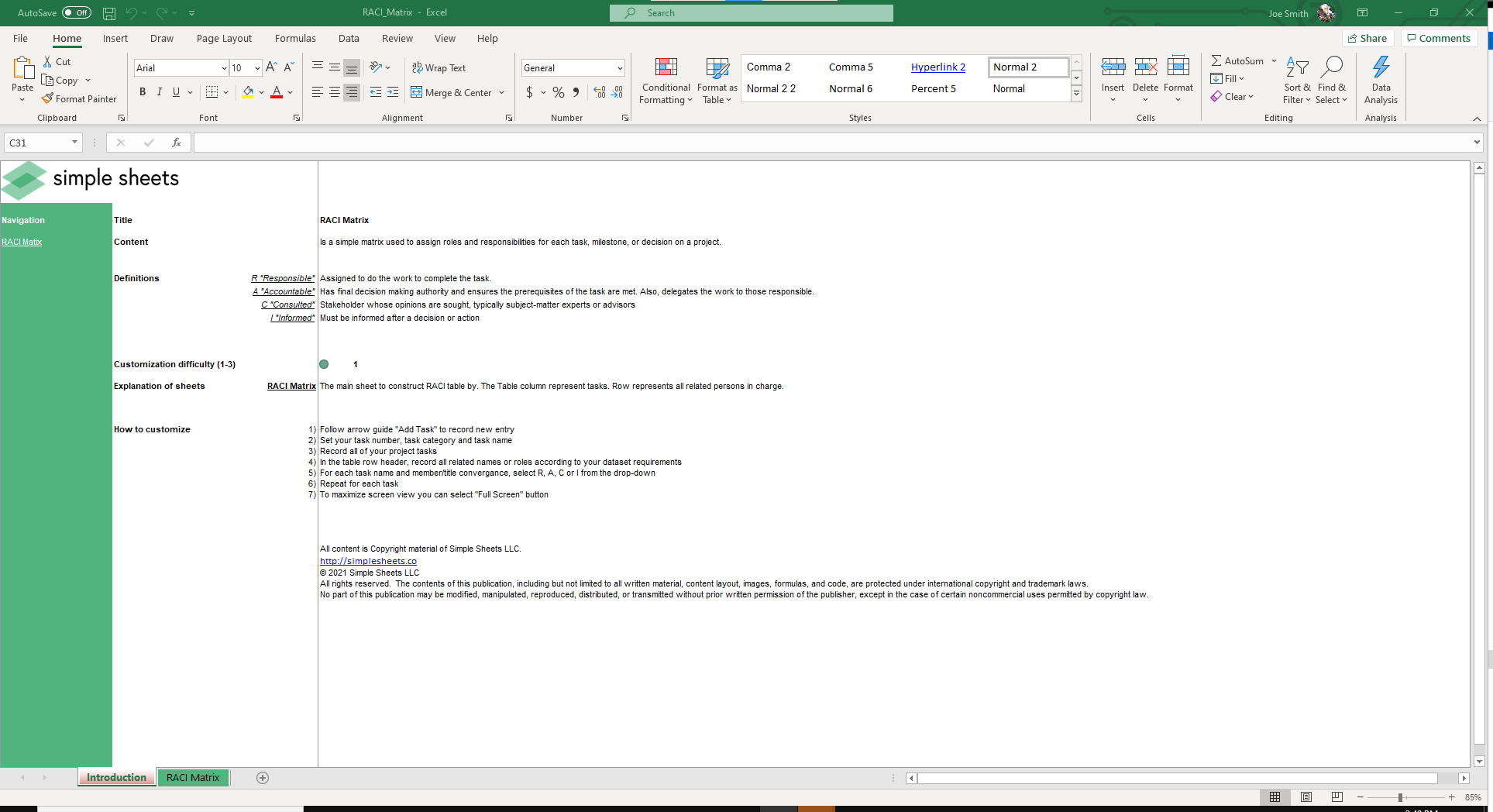
Details | 2 Sheets
Supported Versions (All Features) | Excel 2016, 2019, Office 365 (Mac)
Supported Versions (Significant Features) | Excel 2010, 2013, 2016, 2019, Office 365 (Mac), Google Sheets
Category | Project Management
Tags | Responsible, Diagram
Why Professionals Choose Simple Sheets
It's simple. Access to the largest library of premium Excel Templates, plus world-class training.

100+ Professional Excel Templates
Optimized for use with Excel. Solve Excel problems in minutes, not hours.

World-Class Excel University
With our university, you'll learn how we make templates & how to make your own.

How-To Videos
Each template comes with a guide to use it along with how-to videos that show how it works.
Inside Our RACI Matrix Excel and Google Sheets Template
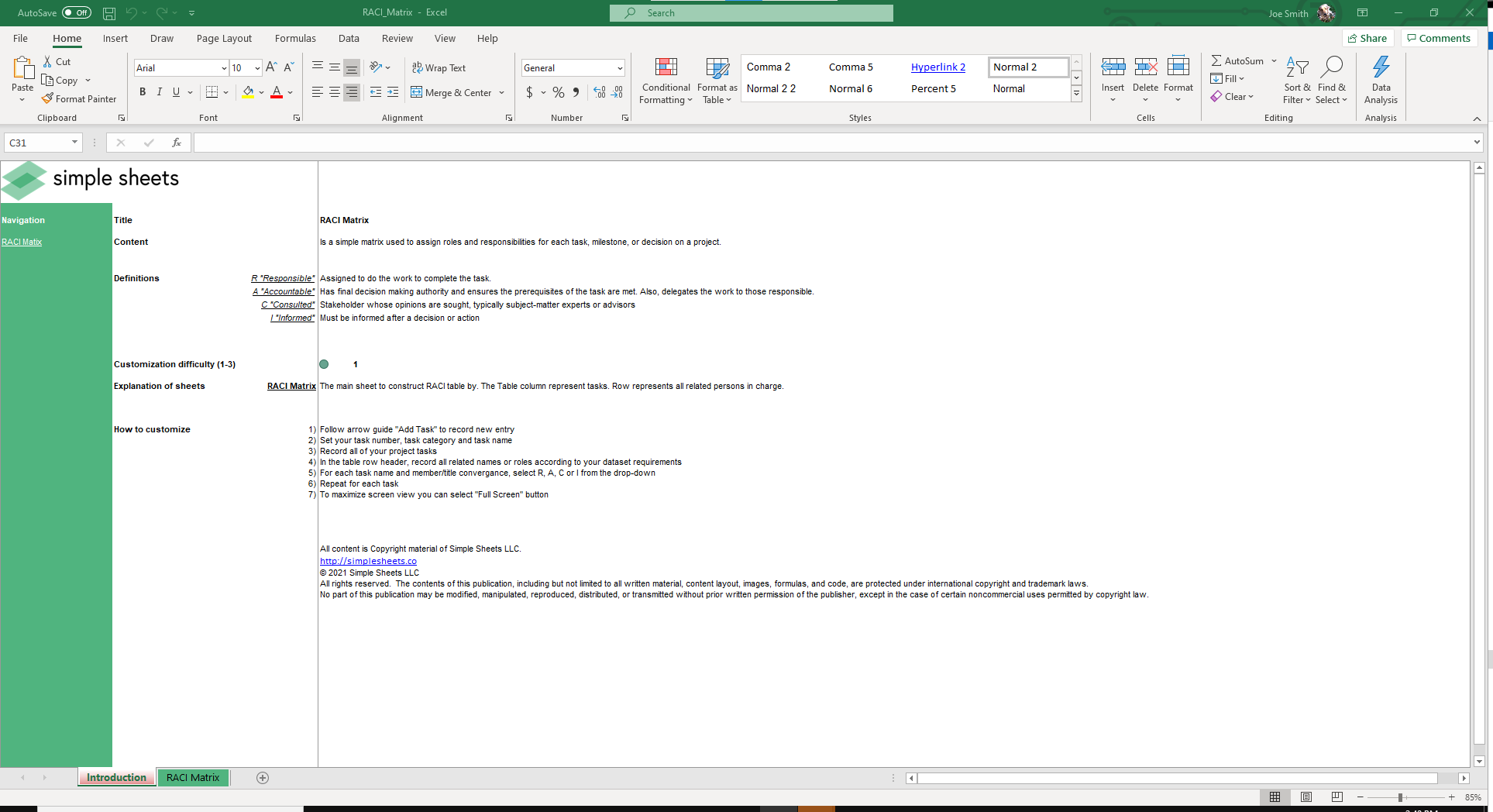
A RACI template is a simple matrix used to assign roles and responsibilities within a project. The name comes from the four categories it tracks:
- Responsible: The person who completes the work.
- Accountable: The person with final decision-making authority.
- Consulted: Stakeholders or subject-matter experts whose input is needed.
- Informed: Individuals who must be updated on progress or decisions.
By mapping out these roles in a RACI template Excel or Google Sheets, project managers gain a clear view of who does what. This reduces delays caused by miscommunication and makes it easier to hold team members accountable.
A responsibility matrix template like this is especially useful for cross-functional projects where multiple departments or stakeholders are involved.
Key Features of the RACI Template
Our project management RACI template file is built to be simple to use while still powerful enough to manage complex projects. See the standout features below:
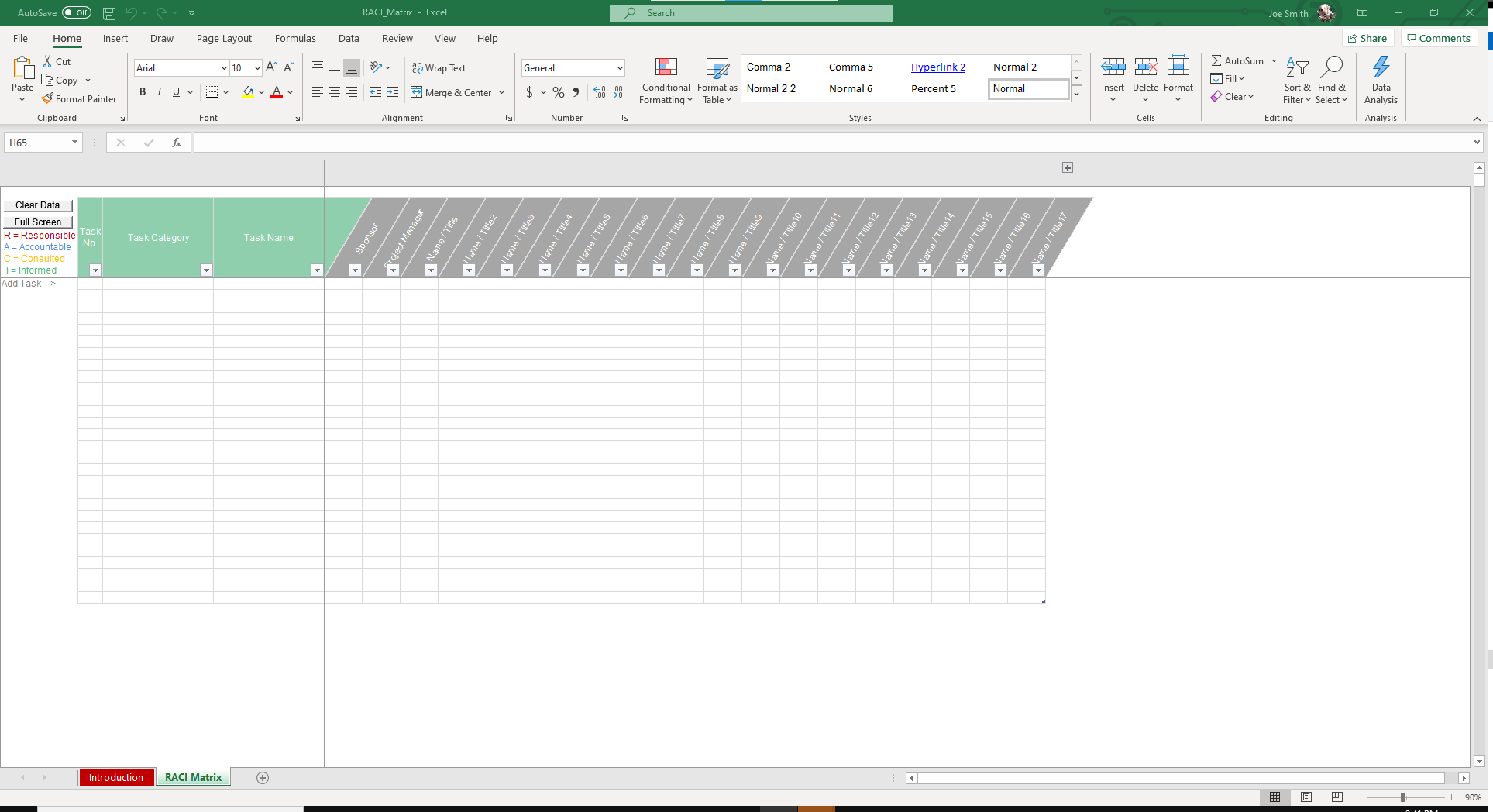
- Predefined roles and definitions: Quickly assign tasks using built-in options for Responsible, Accountable, Consulted, and Informed. This makes it easy to create a RACI chart in Excel without confusion.
- Customizable task categories: Add task numbers, categories, and names to fit your project needs. The RACI Excel template’s flexibility allows you to adjust for different industries or project sizes.
- Drop-down selections: Assign R, A, C, or I to each role with a drop-down menu for consistent inputs and faster setup.
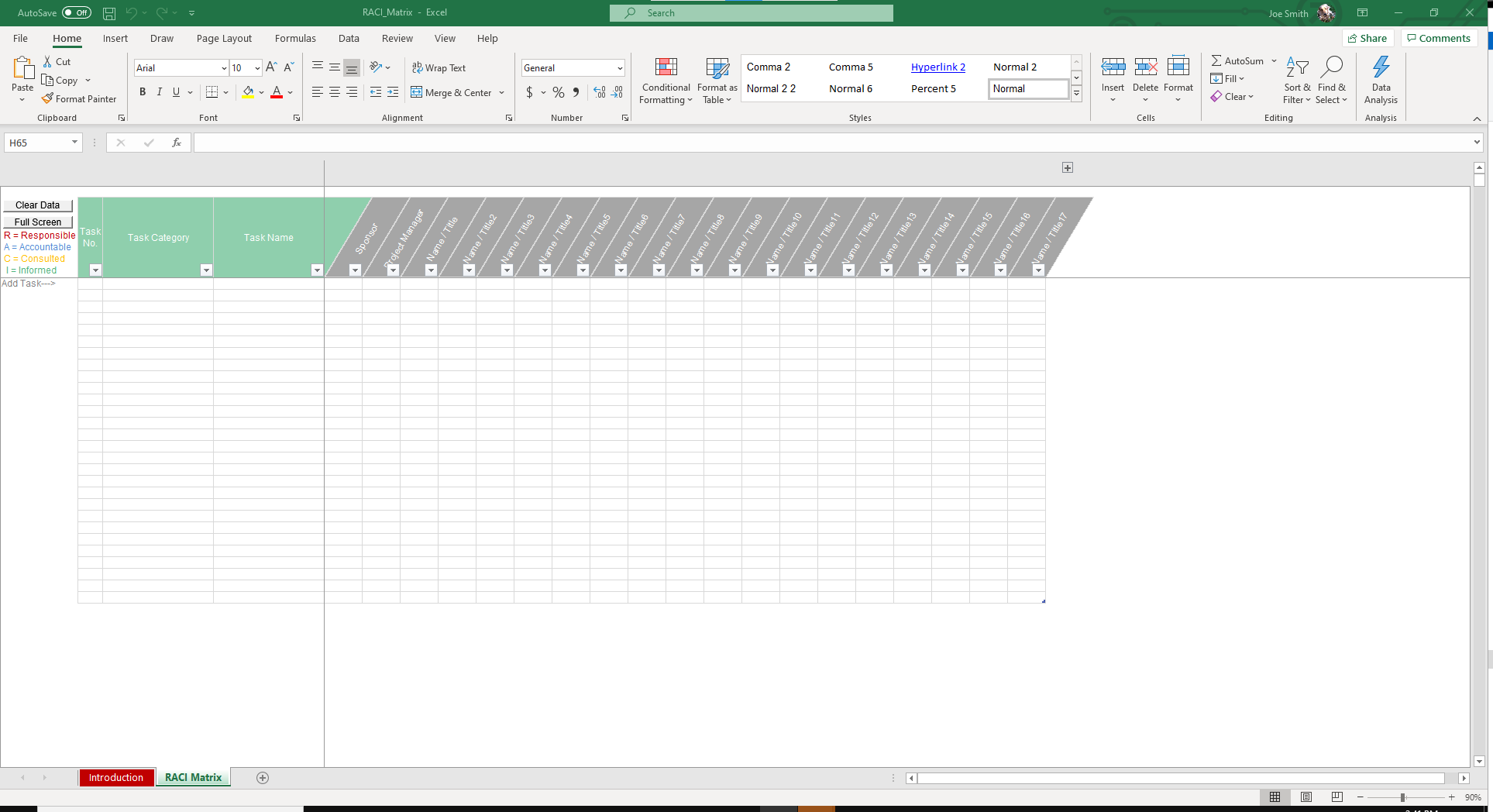
- Clear visualization: Color-coded fields for each role (red for Responsible, blue for Accountable, yellow for Consulted, green for Informed) make the RACI spreadsheet easy to read and analyze.
- Scalable structure: Columns represent tasks, and rows represent roles or team members. This makes this RACI matrix template Excel adaptable for small teams or large cross-functional projects.
How to Use the RACI Template
This section explains how to create a RACI chart in Excel or Google Sheets with our template.
- Open the RACI matrix sheet: This is where you’ll enter all tasks and assign responsibilities.
- Add tasks and categories: Input task numbers, categories, and descriptions to define the work that needs to be completed.
- List team members or roles: Columns can represent specific people, departments, or titles, depending on your project.
- Assign R, A, C, or I: Use the drop-down menus to assign who is Responsible, Accountable, Consulted, and Informed for each task. The RACI model template uses color coding (red, blue, yellow, green) to facilitate easy identification of roles.
- Customize with the buttons: Add new tasks with the Add Task button, reset the sheet with Clear Data, or switch to full screen for a better view of large projects.
Use Cases for the RACI Chart Excel Template
RACI chart templates can be applied to many industries and project types. Here are some applications of an Excel RACI template:
- Project management: A RACI project management template helps clarify roles on large projects with multiple stakeholders. This prevents tasks from falling through the cracks.
- Construction projects: Use a responsibility matrix template for construction project planning to assign accountability for design, approvals, safety, and execution.
- IT and software development: A RACI matrix template Excel, or RACI framework template makes it easier to map responsibilities across developers, testers, and product managers.
- Business operations: Teams can use a simple RACI template to define accountability for routine processes like procurement and compliance.
- Consulting and client work: A RACI document template is ideal for agencies or consultants managing deliverables across different clients and departments.
Get the RACI Template
Bring clarity to your projects with our ready-to-use RACI template. In just a few steps, you can create a responsibility matrix and make sure everyone knows exactly what they need to do.
It is fully compatible with Excel and Google Sheets. We also offer after-sales support to ensure you get the best value. Buy the RACI chart template now.
More Templates Like This
Our project management tools don’t stop here. We offer other tools designed to improve project management and team accountability.
OKR Template
Set clear goals and track measurable results with the OKR template. It helps align teams with company objectives and ensures progress is monitored effectively.
Burndown Chart Excel Template
Visualize project progress with the burndown chart Excel template. Track completed work against deadlines and quickly spot when tasks are falling behind.
Gap Analysis Template
Identify where your team or business stands compared to where it needs to be with the gap analysis template. It highlights performance gaps and helps build an actionable improvement plan.
FAQ
1. What is a RACI template?
A RACI template is a responsibility assignment matrix that defines who is Responsible, Accountable, Consulted, and Informed for each task in a project.
2. Who should use a RACI spreadsheet?
This RACI spreadsheet is useful for project managers, construction teams, IT departments, HR professionals, and consultants. Anyone who needs to track and assign responsibilities clearly will find it game changing.
3. Can I use this RACI template in both Excel and Google Sheets?
The template works as a RACI template Excel file and as a RACI chart template Google Sheets. So, you can choose the format that best suits your team.
More Project Management Templates For You


